A working manual for the whole suite: Income Tax, GST, TDS, Registrations, the document vault, Tasks, and the Loan desk.
Every screenshot here is real. They are taken from a live copy of the app running against a demo firm — Kalambi & Associates — with three clients, a GST registration, a TAN, and a loan book. Nothing is mocked up in a design tool, so what you see is what the app does.
Regenerating this guide. The demo data is a committed script, not a session of clicking.
scripts/seed-demo.mjsbuilds the firm through the real APIs, andscripts/shoot-guide.mjsre-shoots all 45 images. When the UI changes, re-run both rather than letting the pictures drift out of date. See Appendix A.
How to read this guide
One idea runs through the whole product and explains most of its design:
TaxPro would rather refuse than be quietly wrong.
A figure it can derive, it derives. A figure that needs professional judgement, it accepts from you — and then labels it as supplied on the computation, so whoever reviews the file can see which numbers carry judgement and which came out of the engine. Where it cannot verify something, it says so and leaves it flagged instead of guessing.
You will see this repeatedly: ratios that show an em dash rather than a zero, computations that list their supplied inputs separately, a loan module that refuses to issue a receipt it could not lawfully issue.
1 · Getting started
TaxPro lives at https://taxpro.trendriders.tech.

Sign up once as a firm. Everything you create afterwards belongs to that firm — its tenant — and no other firm can see any of it. Staff you invite join the same tenant; clients never get an account at all.
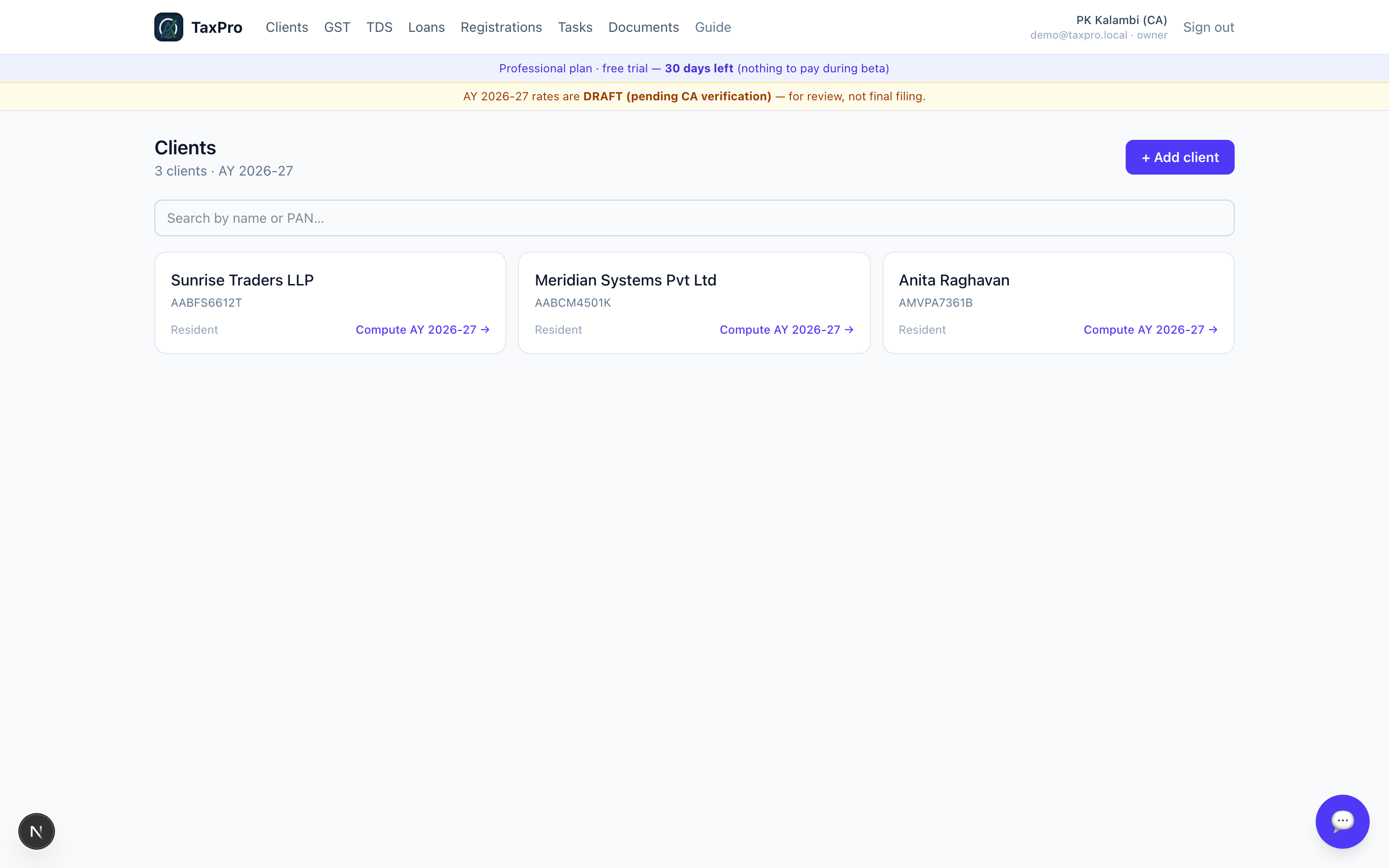
After signing in you land in the workspace. The top bar is the whole product: Clients, GST, TDS, Loans, Registrations, Tasks, Documents.
2 · Clients
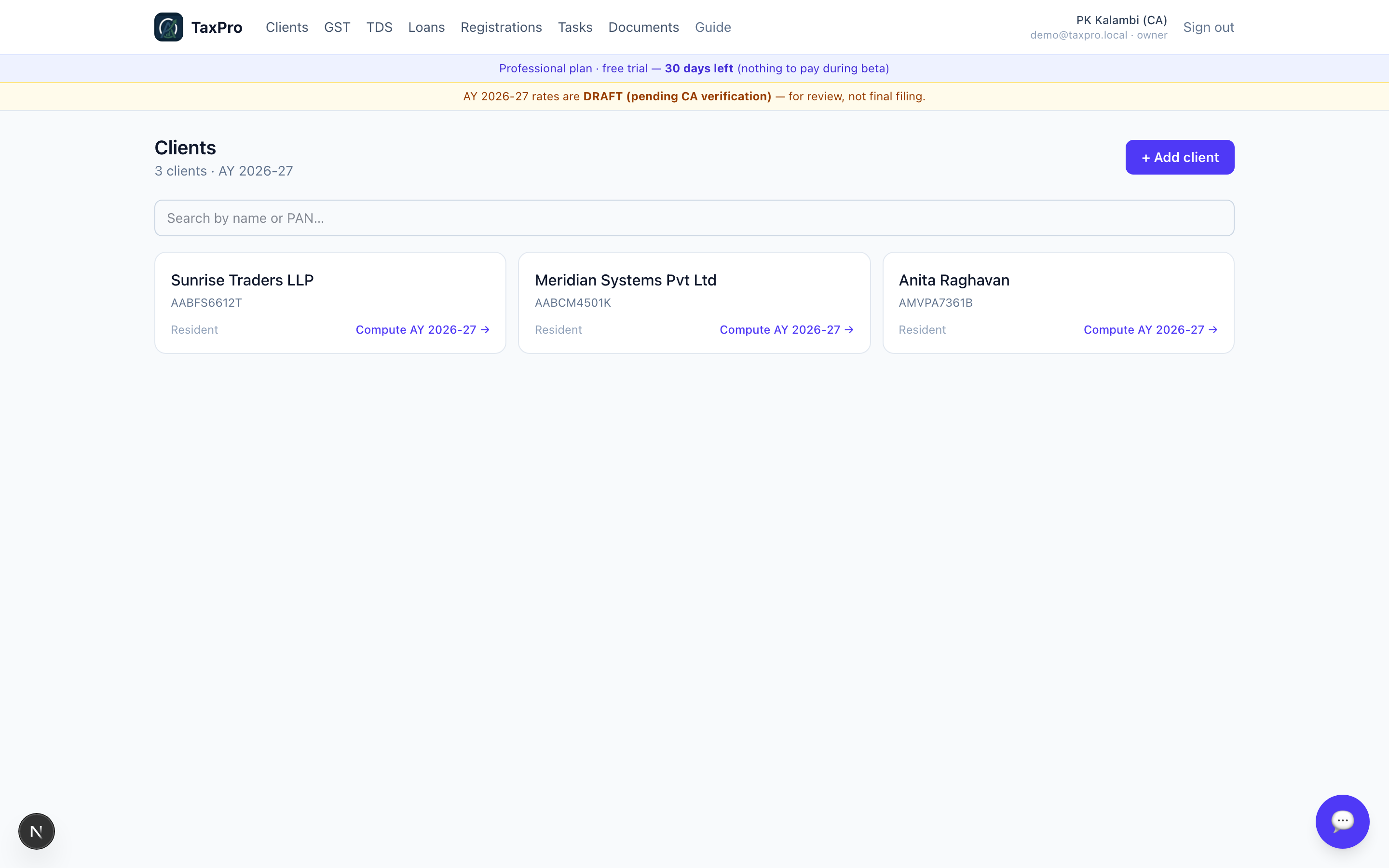
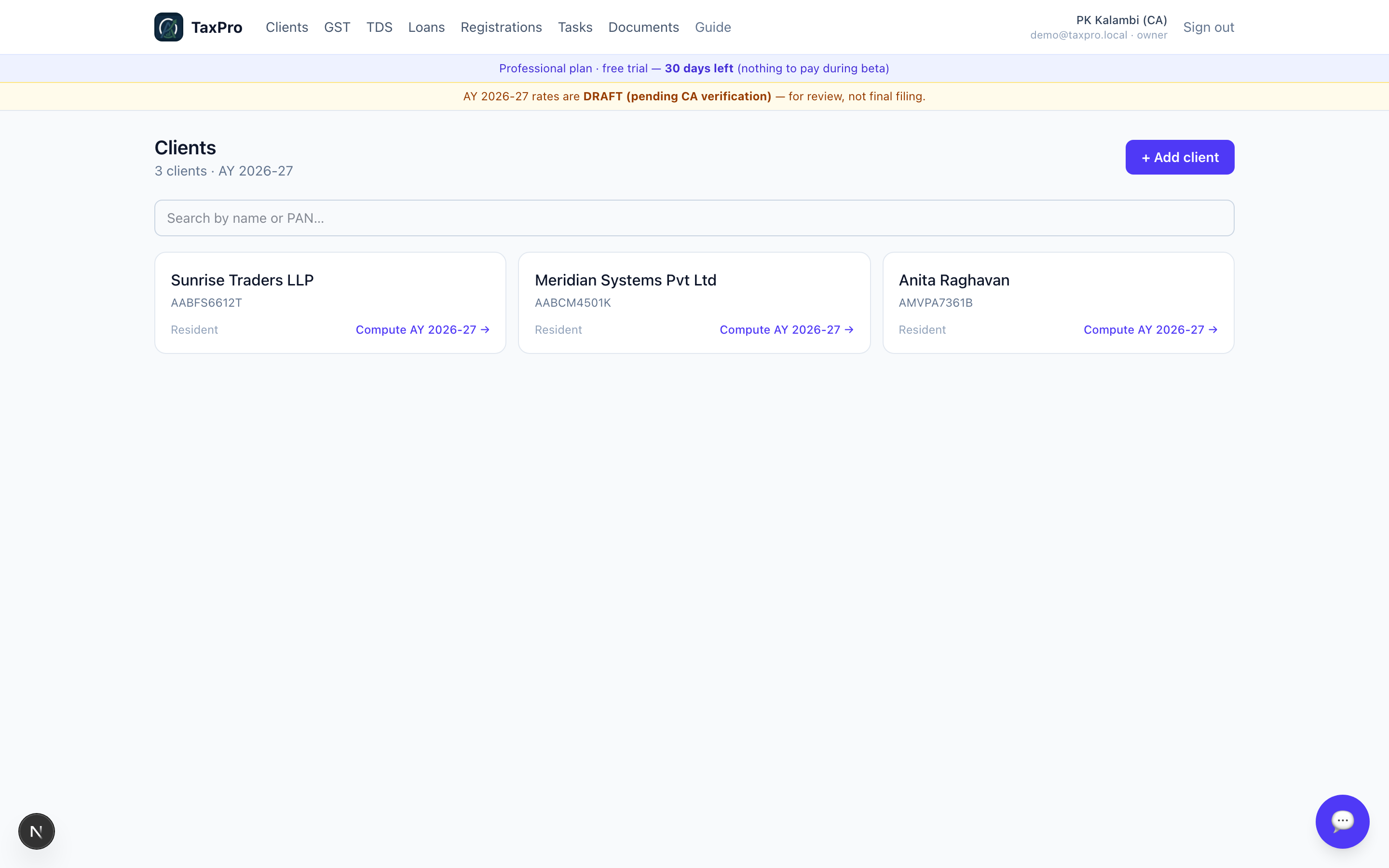
A client is the root record. Returns, GST registrations, TANs, documents and loans all hang off it.
The 4th character of the PAN decides which return the client gets, and TaxPro reads it rather than asking you:
| 4th char | Status | Return |
|---|---|---|
P |
Individual | ITR-1 / 2 / 3 / 4 |
C |
Company | ITR-6 |
F |
Firm or LLP | ITR-5 |
H |
HUF | ITR-2 / 3 |
T |
Trust | ITR-7 |
So AMVPA7361B opens the individual workspace and AABCM4501K opens the
company one. You never pick the form yourself.
3 · Income Tax — individuals
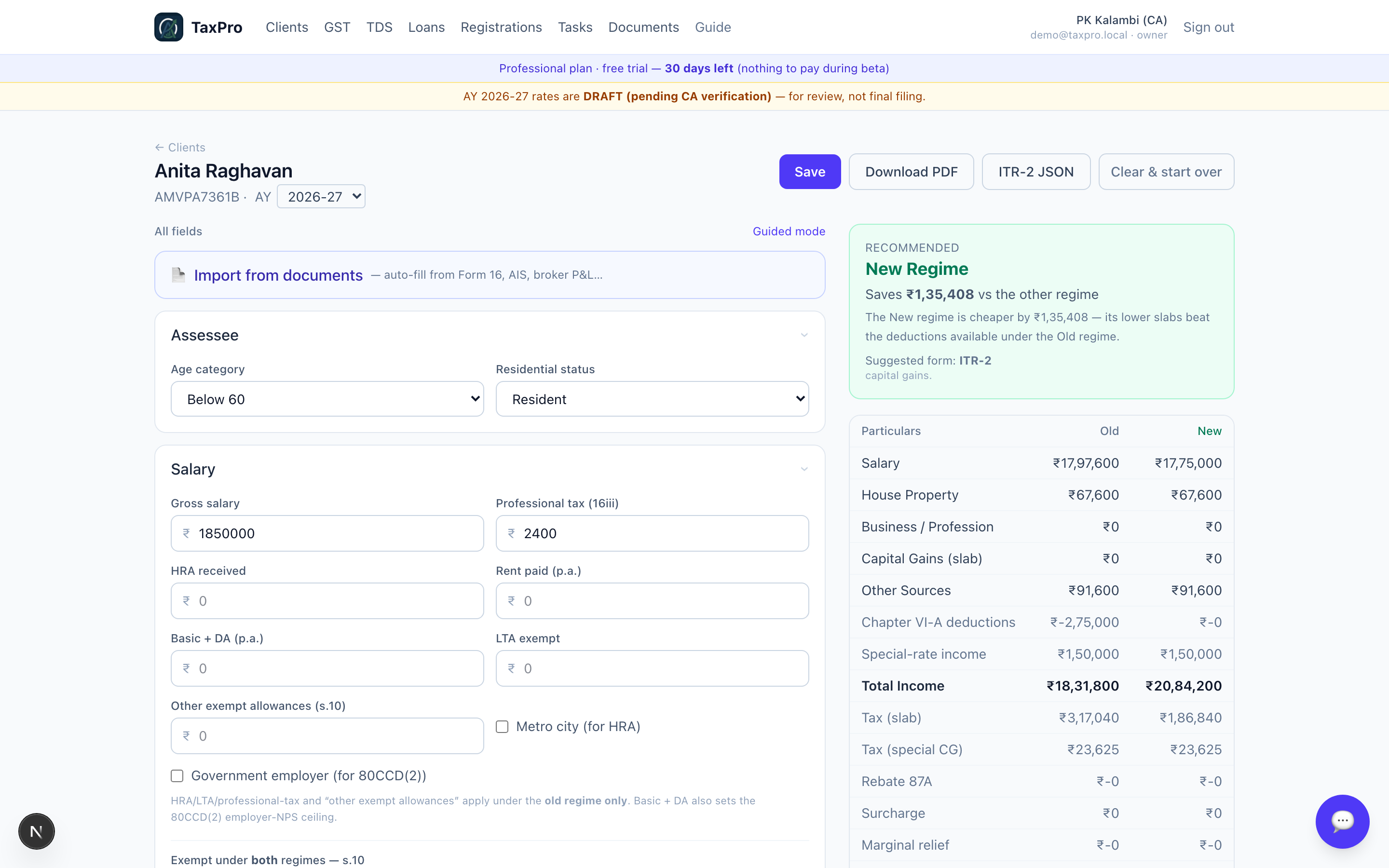
Open a client, pick the assessment year, and you get the return workspace: the inputs on the left, the computation on the right, recalculating as you type.
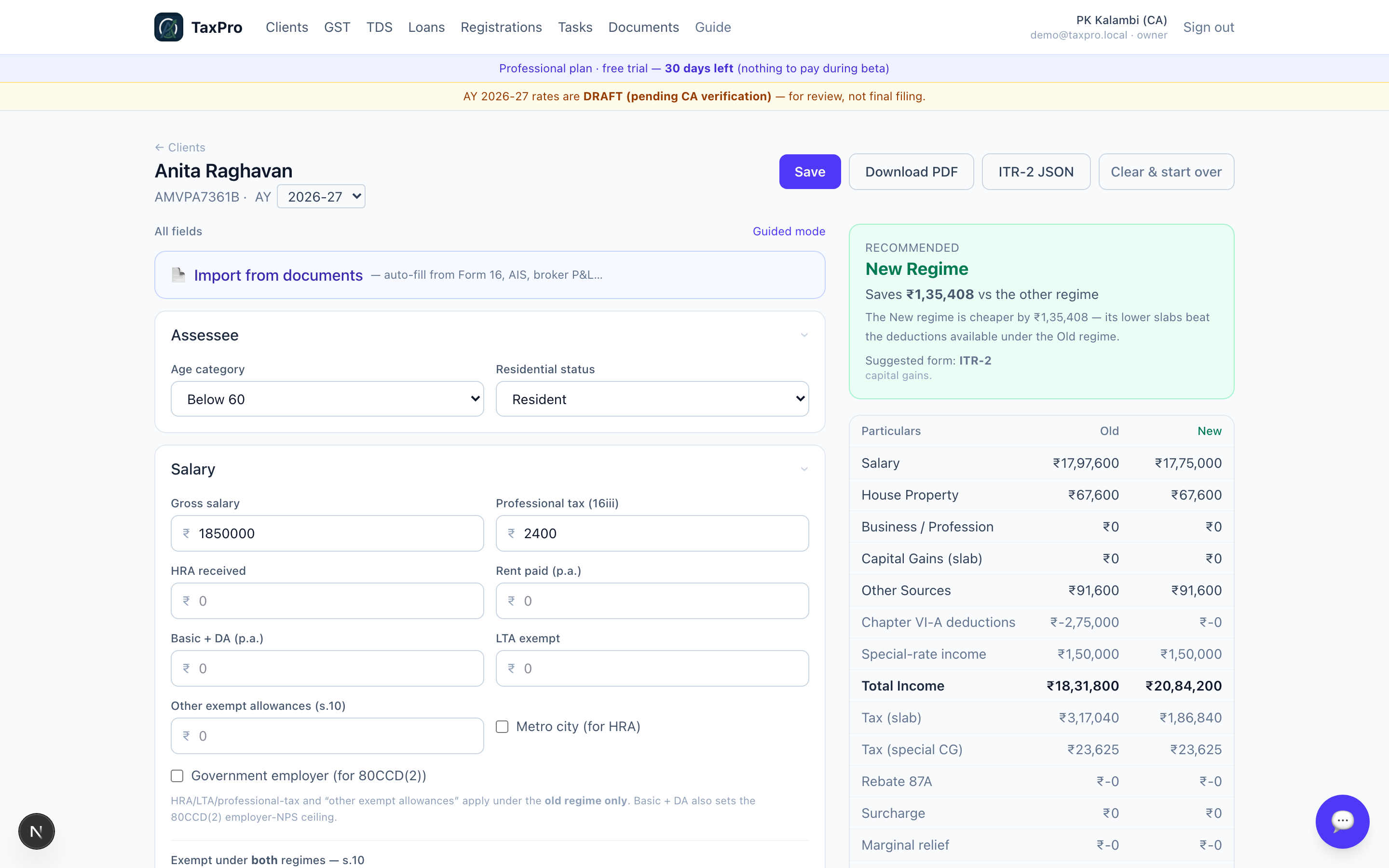
Start from documents, not from a blank form
Upload a Form 16, an AIS or a 26AS and the fields fill themselves.
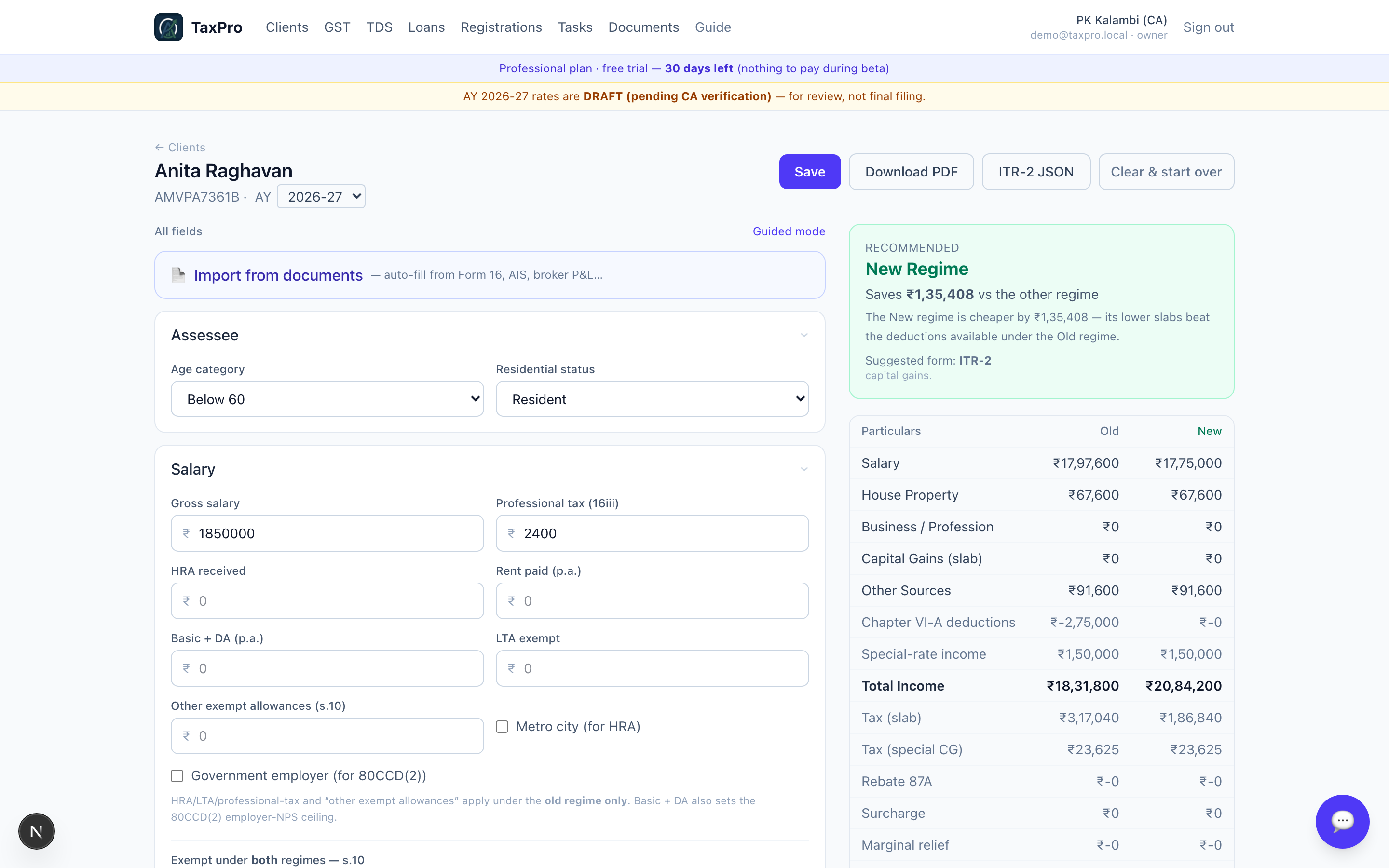
The extractor fills what it can read confidently and leaves the rest to you. It does not guess at a figure it is unsure of — an invented number that looks plausible is far more dangerous than an empty field.
Salary
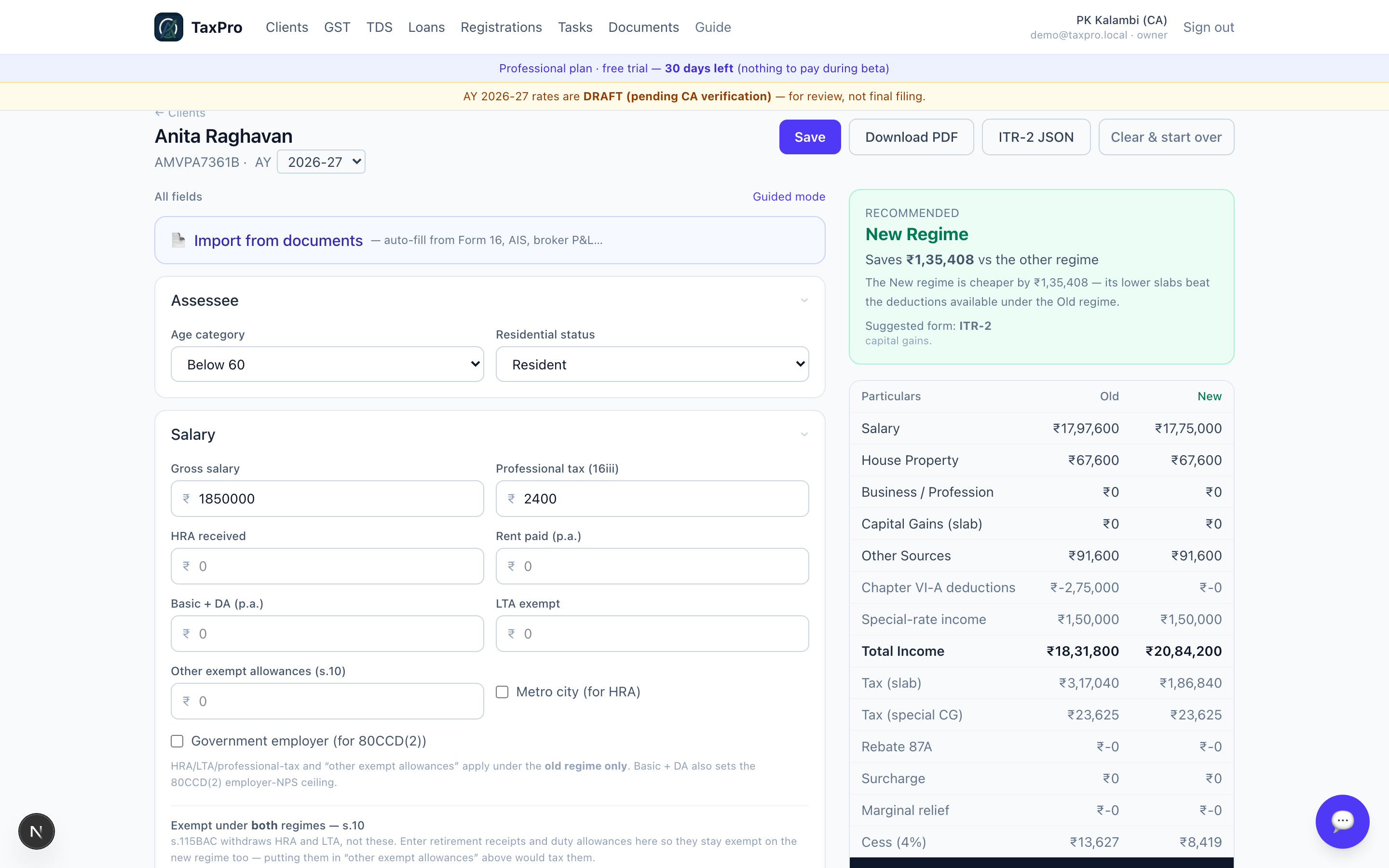
Enter the gross and the professional tax. The standard deduction and the other s.16 items are applied by the engine — they are statutory, so there is nothing to type.
House property
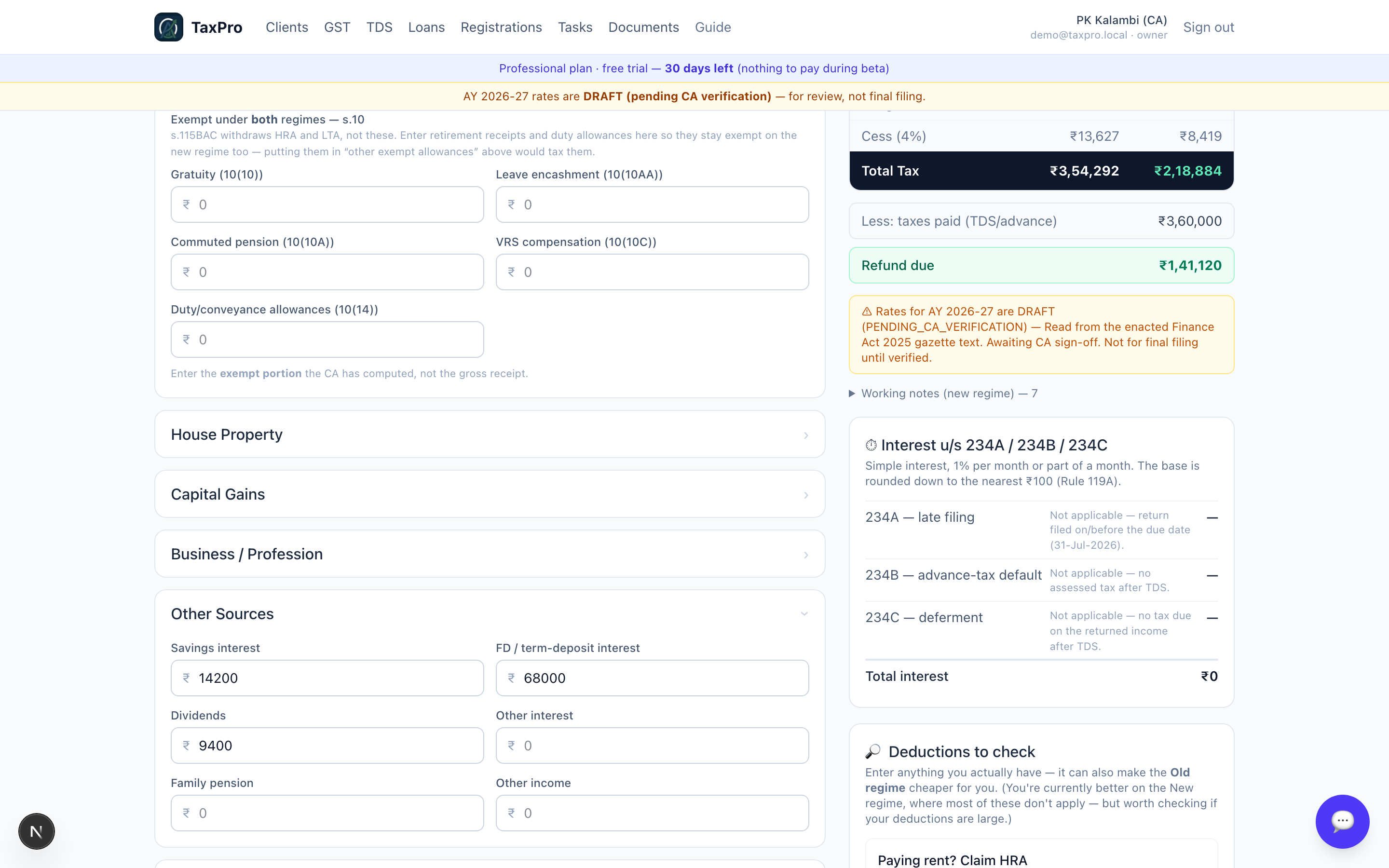
For a let-out property, enter the rent, the municipal taxes actually paid, and the loan interest. The 30% standard deduction u/s 24(a) is computed on the net annual value; the interest comes in u/s 24(b). Self-occupied properties carry the ₹2,00,000 cap, and the engine applies the s.115BAC restriction under the new regime rather than leaving you to remember it.
Capital gains
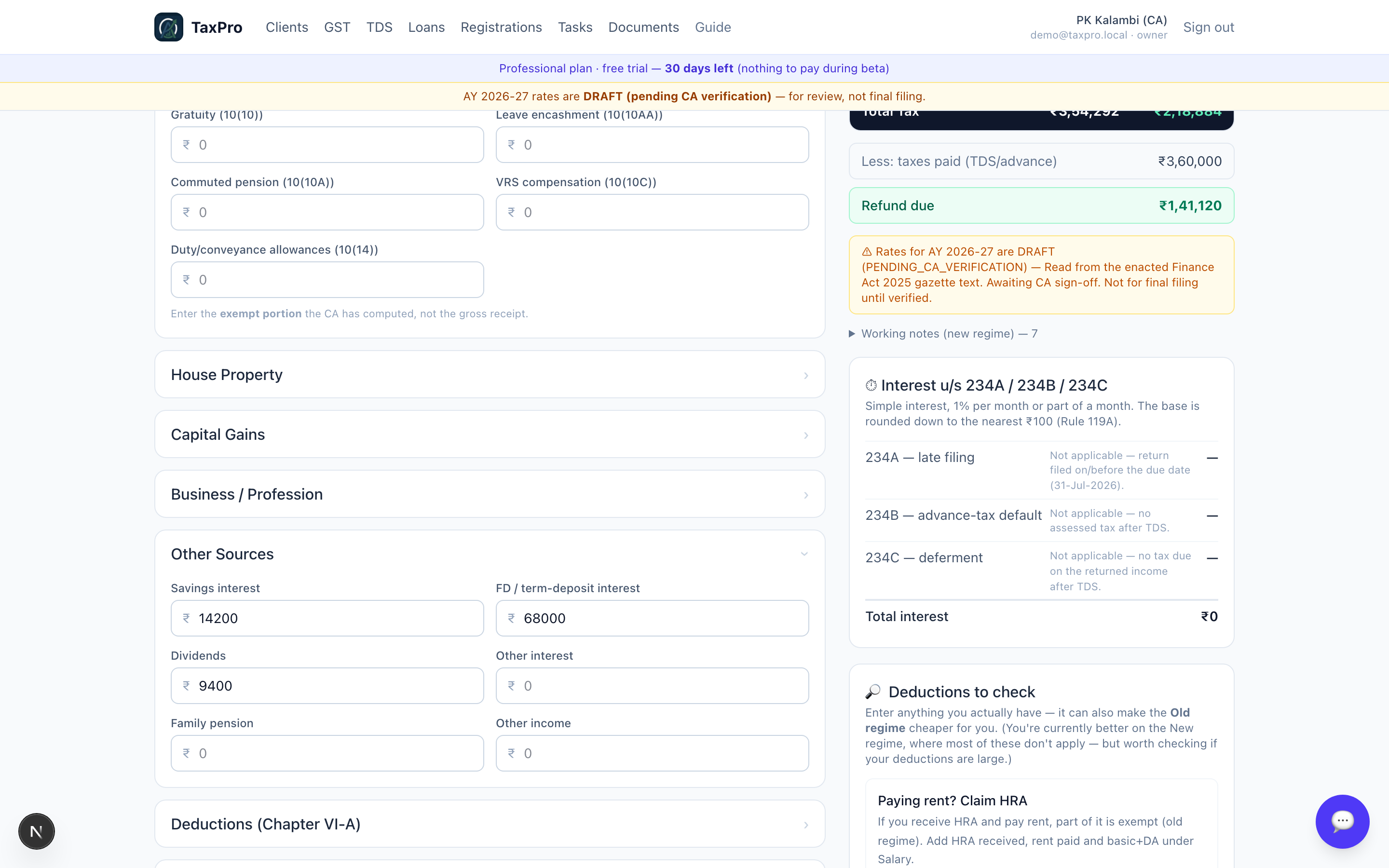
Gains are held per section, not as one number, because they are taxed differently: s.112A and s.111A carry their own rates, and the s.112A exemption is applied once across the year rather than per transaction.
Chapter VI-A deductions
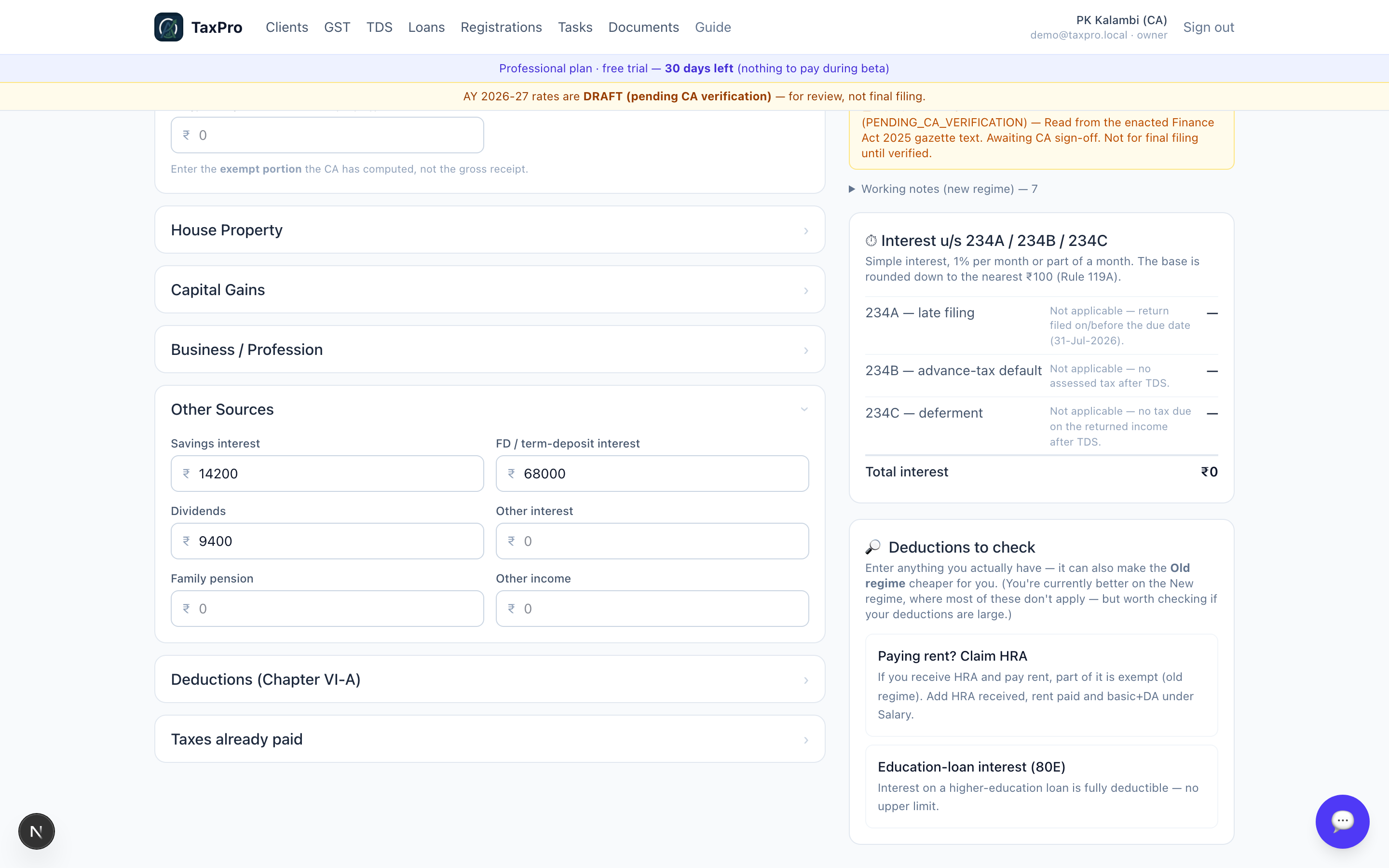
Each deduction shows its own ceiling as you type, so an over-claim is visible before anything is filed rather than after a notice.
Taxes already paid
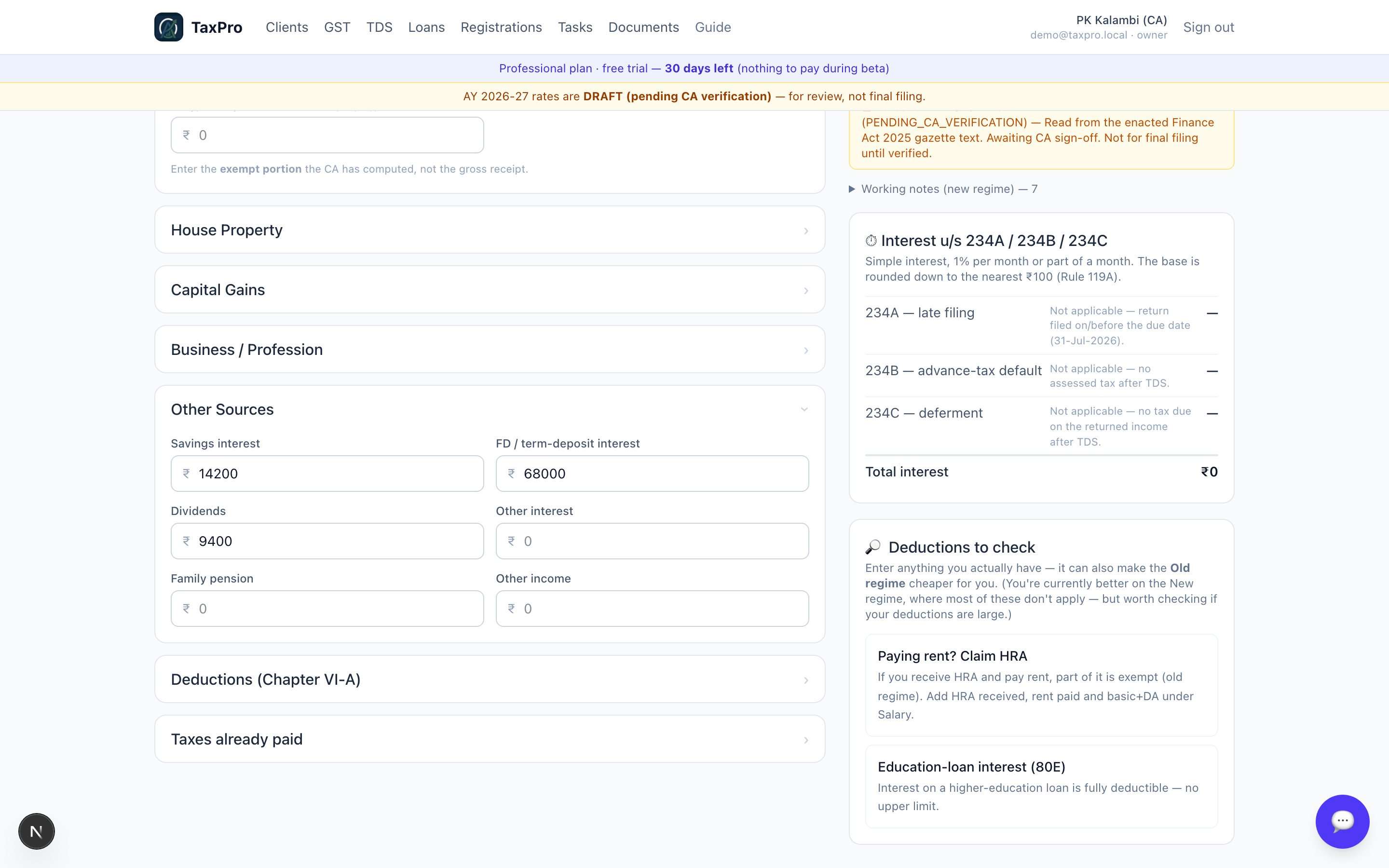
TDS and advance tax decide whether the return ends in a refund or a demand, and drive the s.234 interest.
The working notes
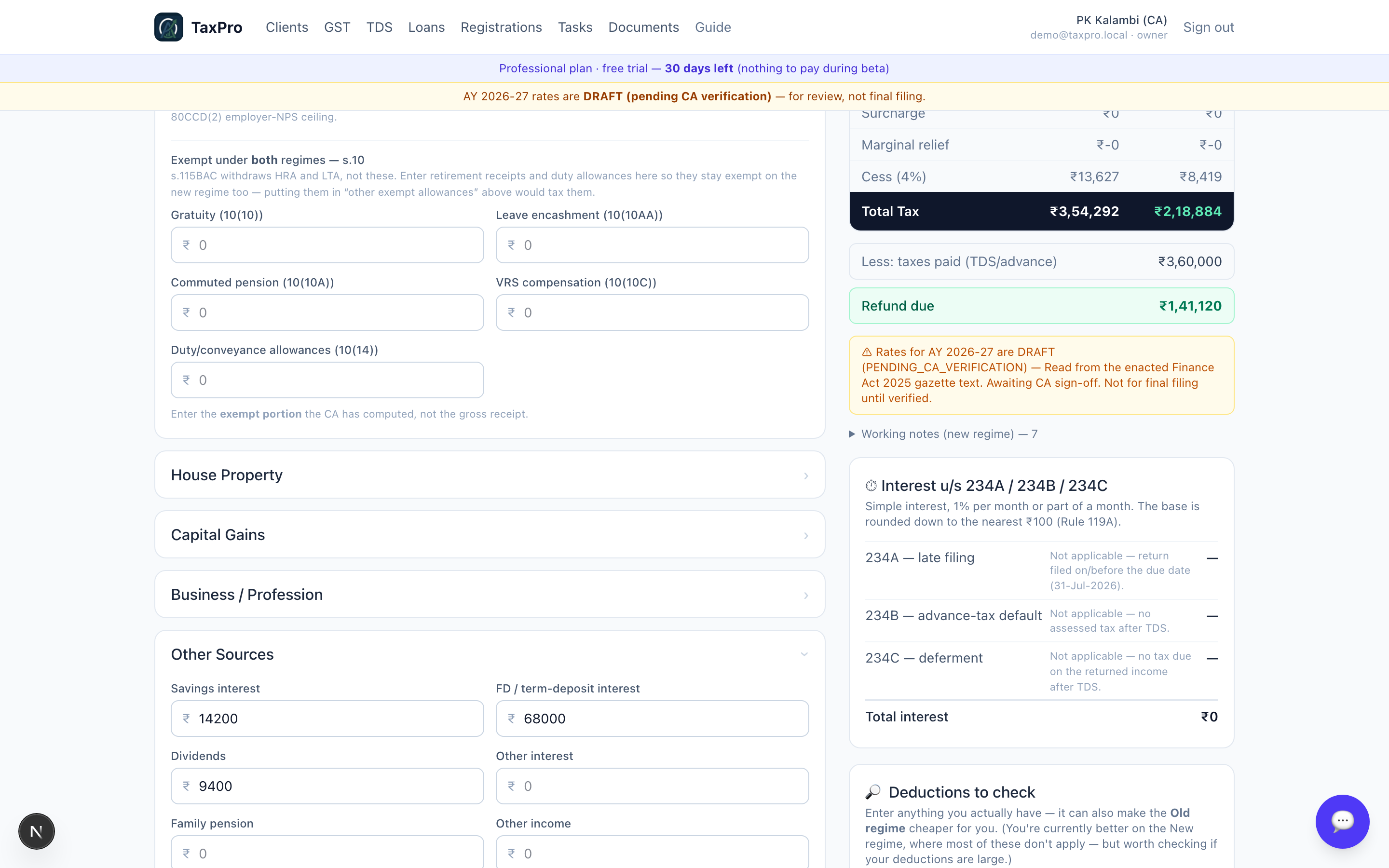
This is the part that makes the number checkable rather than merely trusted: every step the engine took, in order. If a client or a reviewer asks why the figure is what it is, the answer is on the screen.
Guided mode
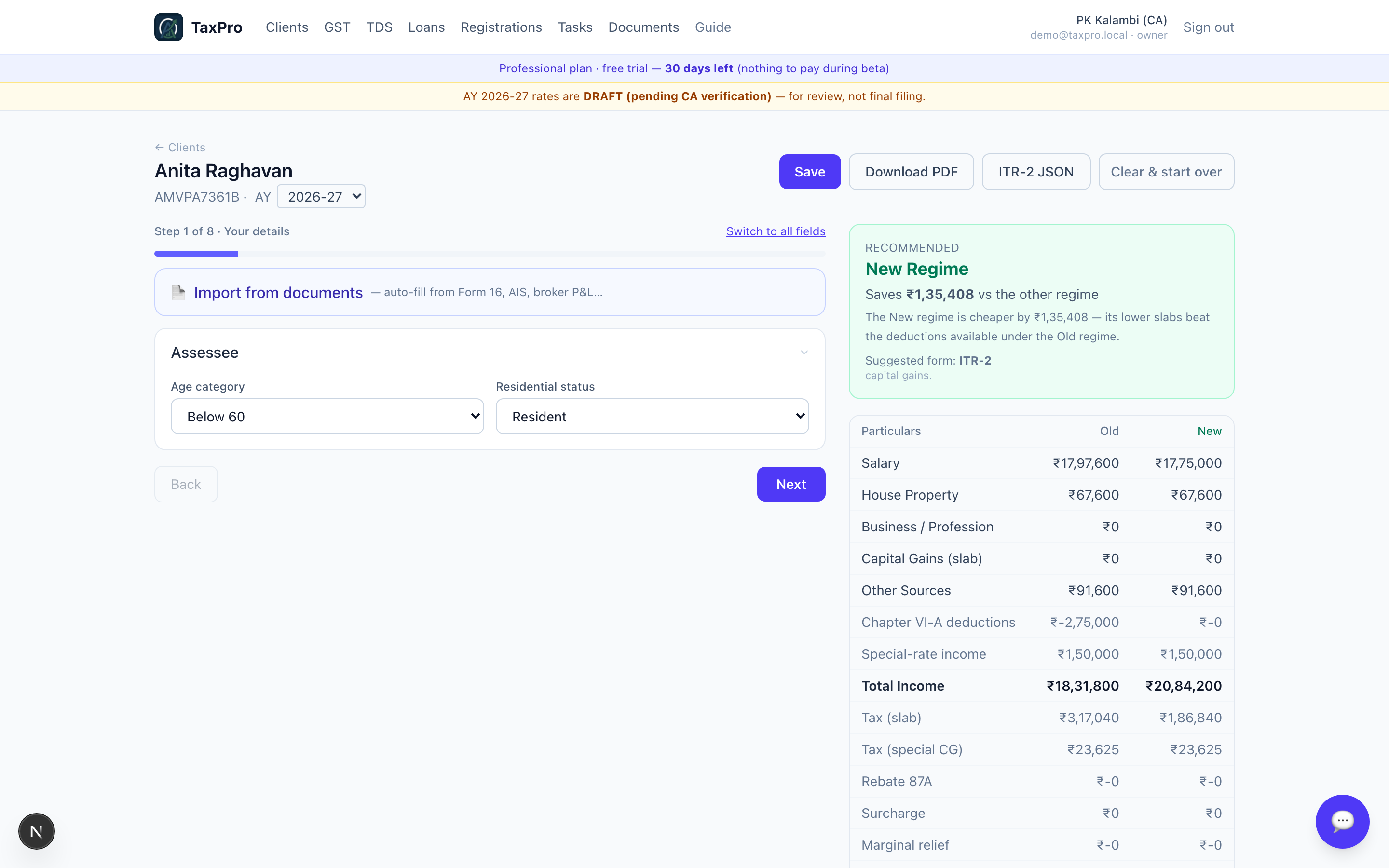
The same return, one question at a time. Useful when a junior is preparing it, or for a straightforward salary case where the full sheet is more than you need.
4 · Income Tax — companies, firms and LLPs
ITR-5 and ITR-6 work differently from an individual return, and the difference is the most important thing in this chapter.
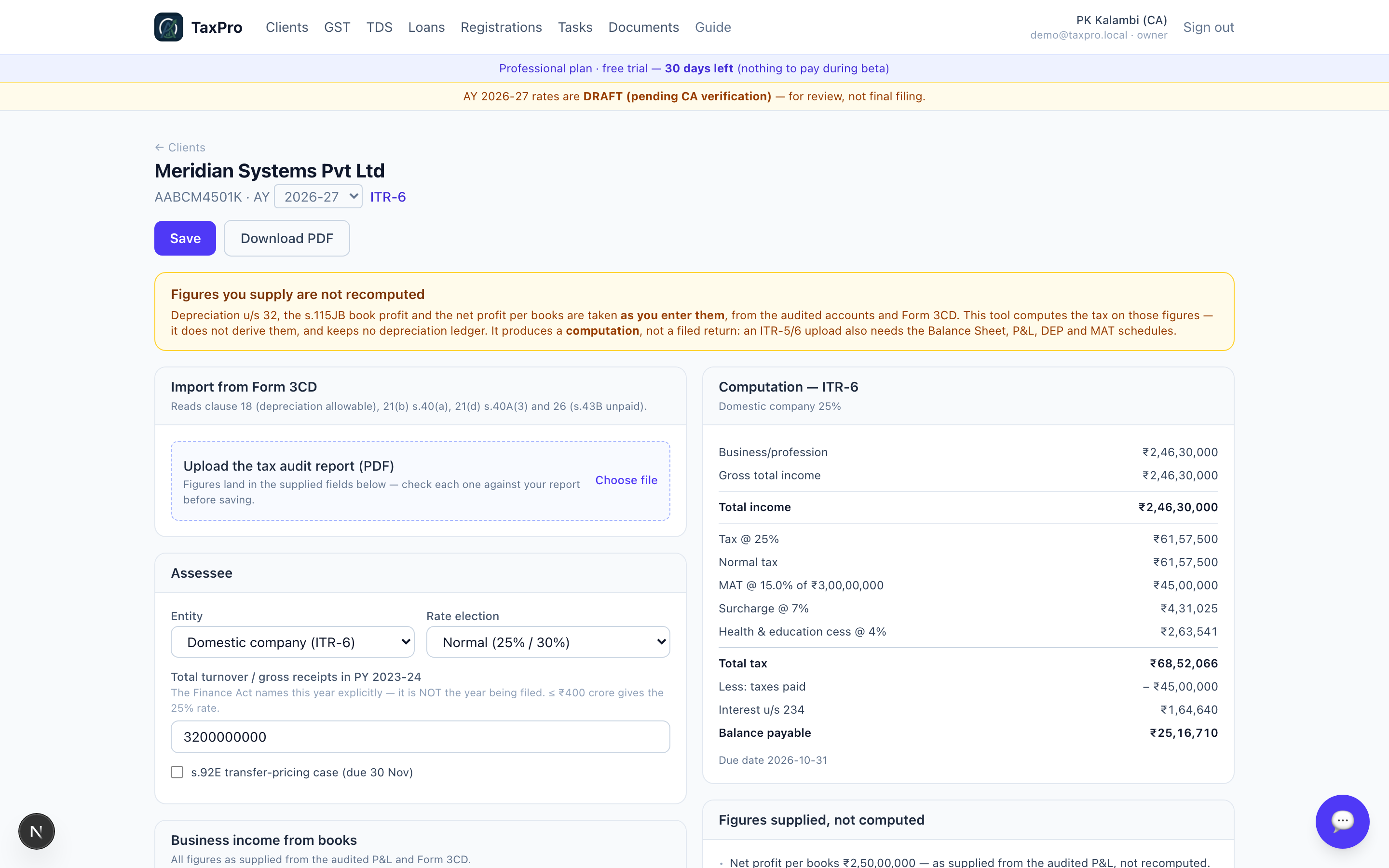
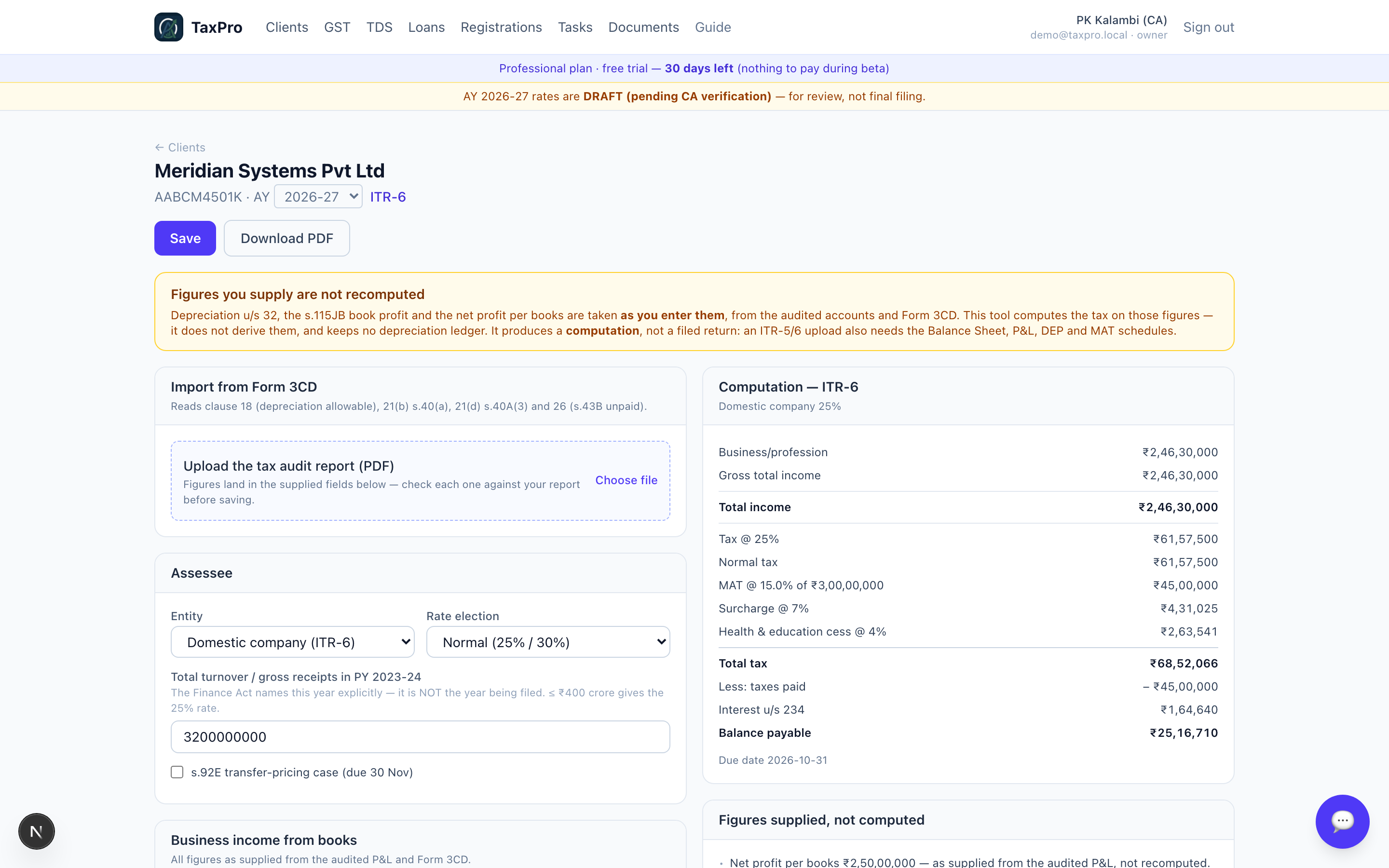
A company's taxable income starts from audited accounts. Depreciation u/s 32, the s.115JB book profit, the net profit per books — these come from the audit, not from anything TaxPro can derive. So it takes them as you enter them and computes the tax on those figures. It keeps no depreciation ledger and does not re-derive the accounts.
That is stated on the screen, in the yellow panel, every time.
Form 3CD import
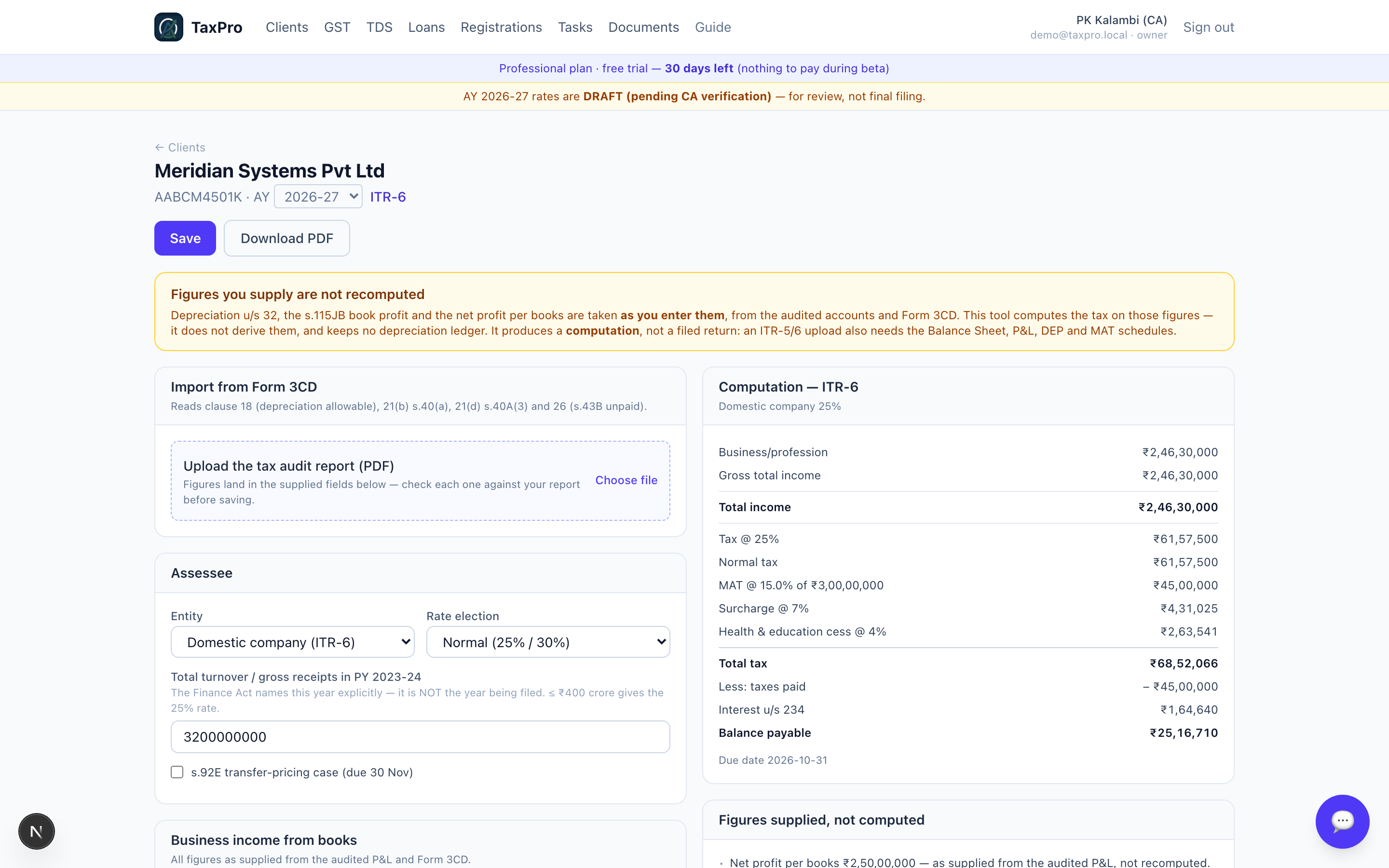
Upload the tax audit report and its clauses fill the return:
| Clause | What it feeds |
|---|---|
| 18(e) | Depreciation allowable u/s 32 |
| 21(b) | Amounts inadmissible u/s 40(a) |
| 21(d) | Payments hit by s.40A(3) |
| 26(B)(b) | s.43B liabilities unpaid by the s.139(1) due date |
Clause 21(c) is deliberately not applied automatically. The engine already computes the s.40(b) partner remuneration ceiling from the book profit; taking the auditor's disallowance as well would disallow the same amount twice. It is shown to you instead, to apply if your facts call for it.
Business income
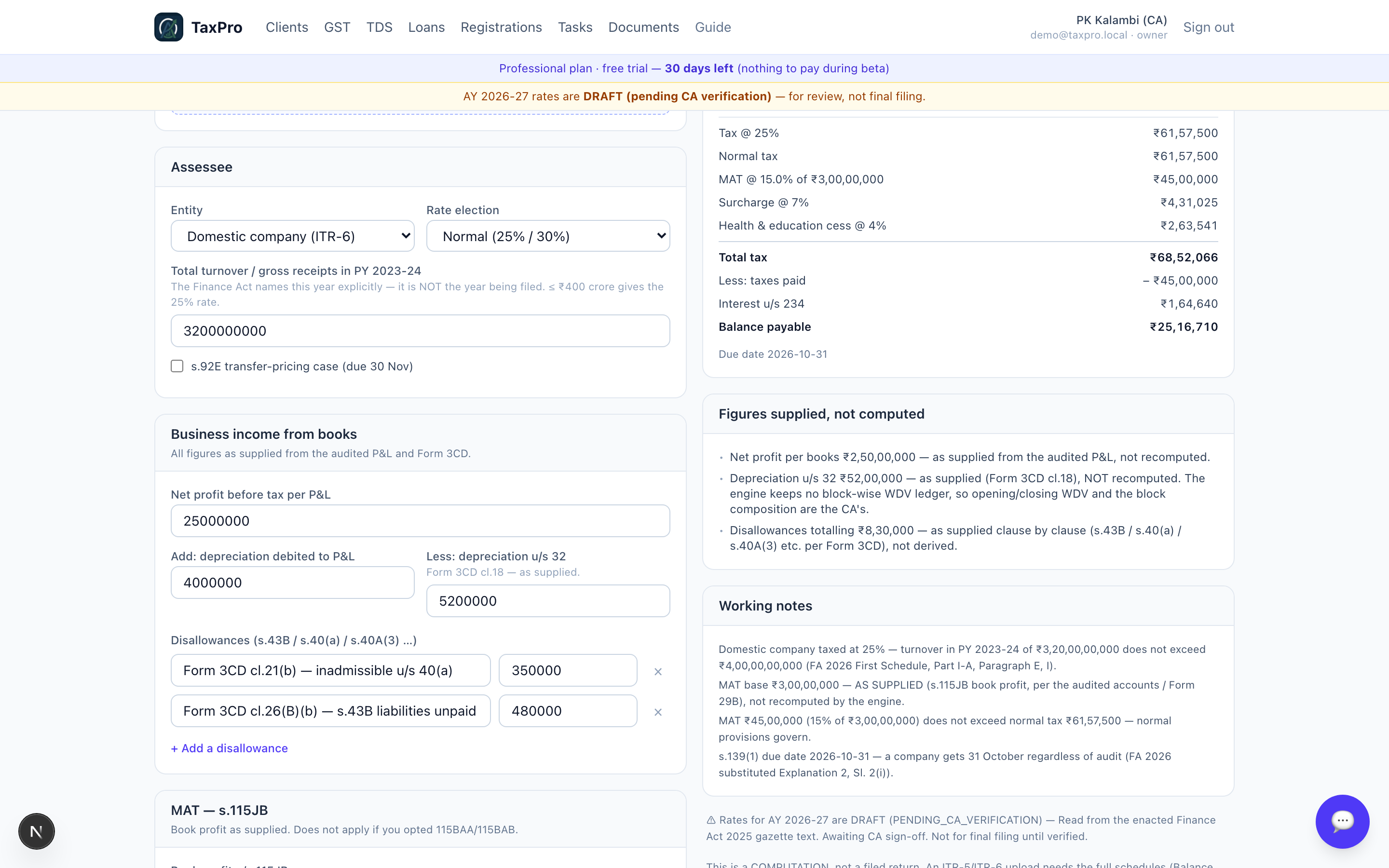
Book profit, the depreciation add-back, and each disallowance as its own labelled line — so the computation reads the way a scrutiny notice will.
MAT — s.115JB
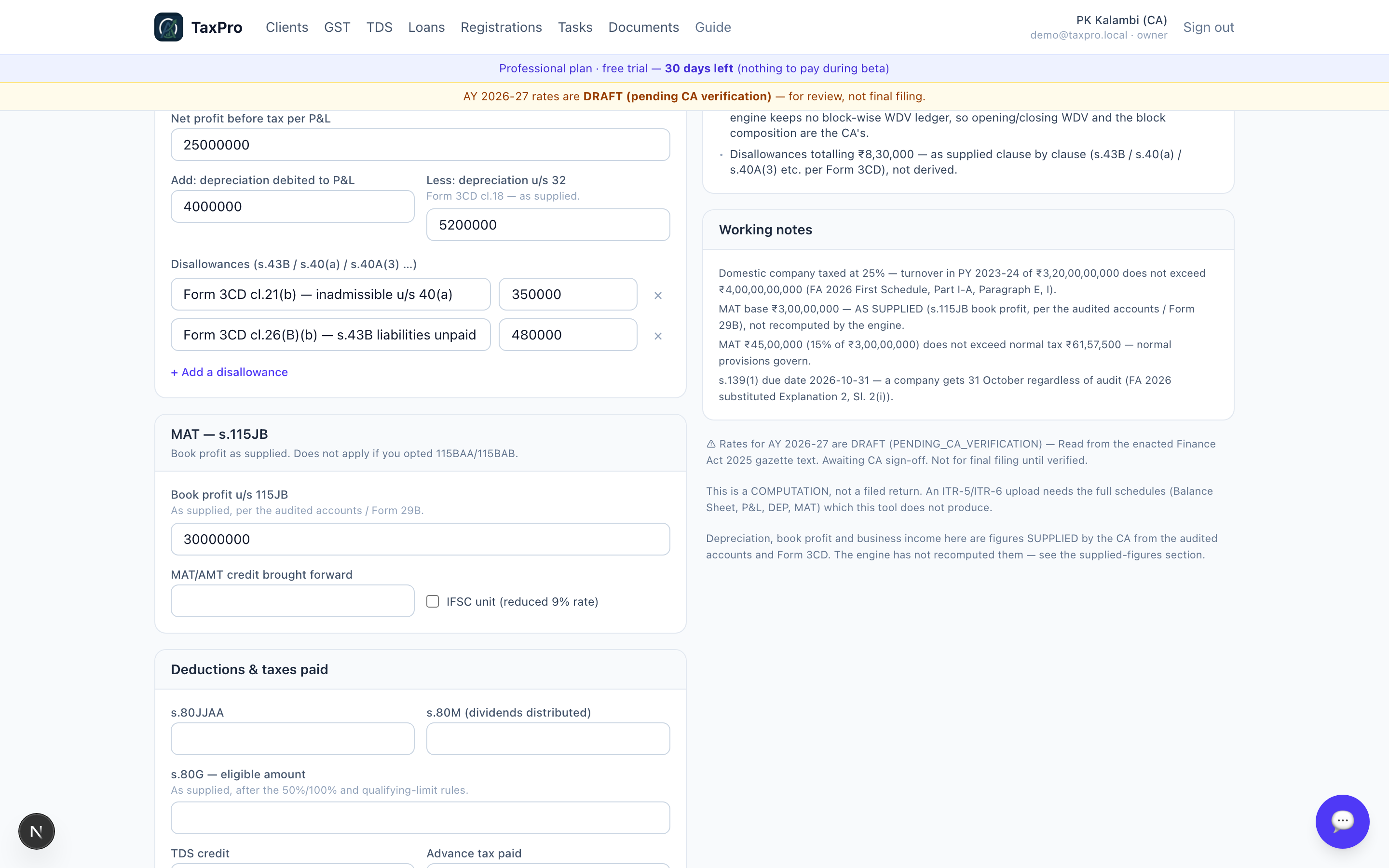
The engine computes tax the normal way, computes 15% of book profit, and carries the higher. In the demo the normal tax (₹61,57,500) exceeds MAT (₹45,00,000), so MAT does not bite — but both are shown, because "MAT did not apply" is itself a conclusion worth being able to see.
The computation
Figures supplied, not computed
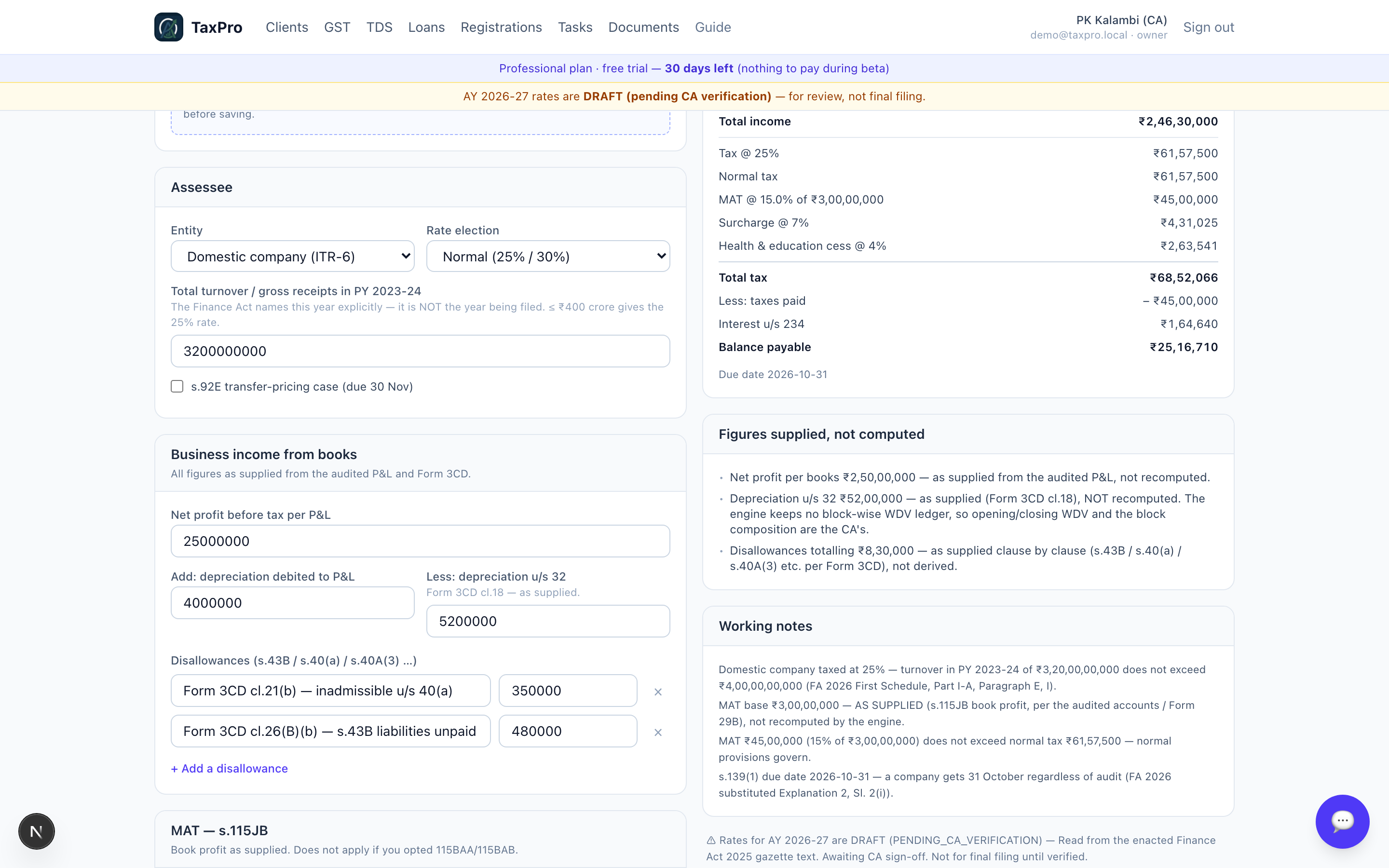
This panel is the heart of the product. Everything the CA supplied is listed separately from everything the engine derived. A reviewer can tell at a glance which numbers carry professional judgement — and therefore which ones to check against the audited accounts.
Firms and LLPs — the s.40(b) ceiling
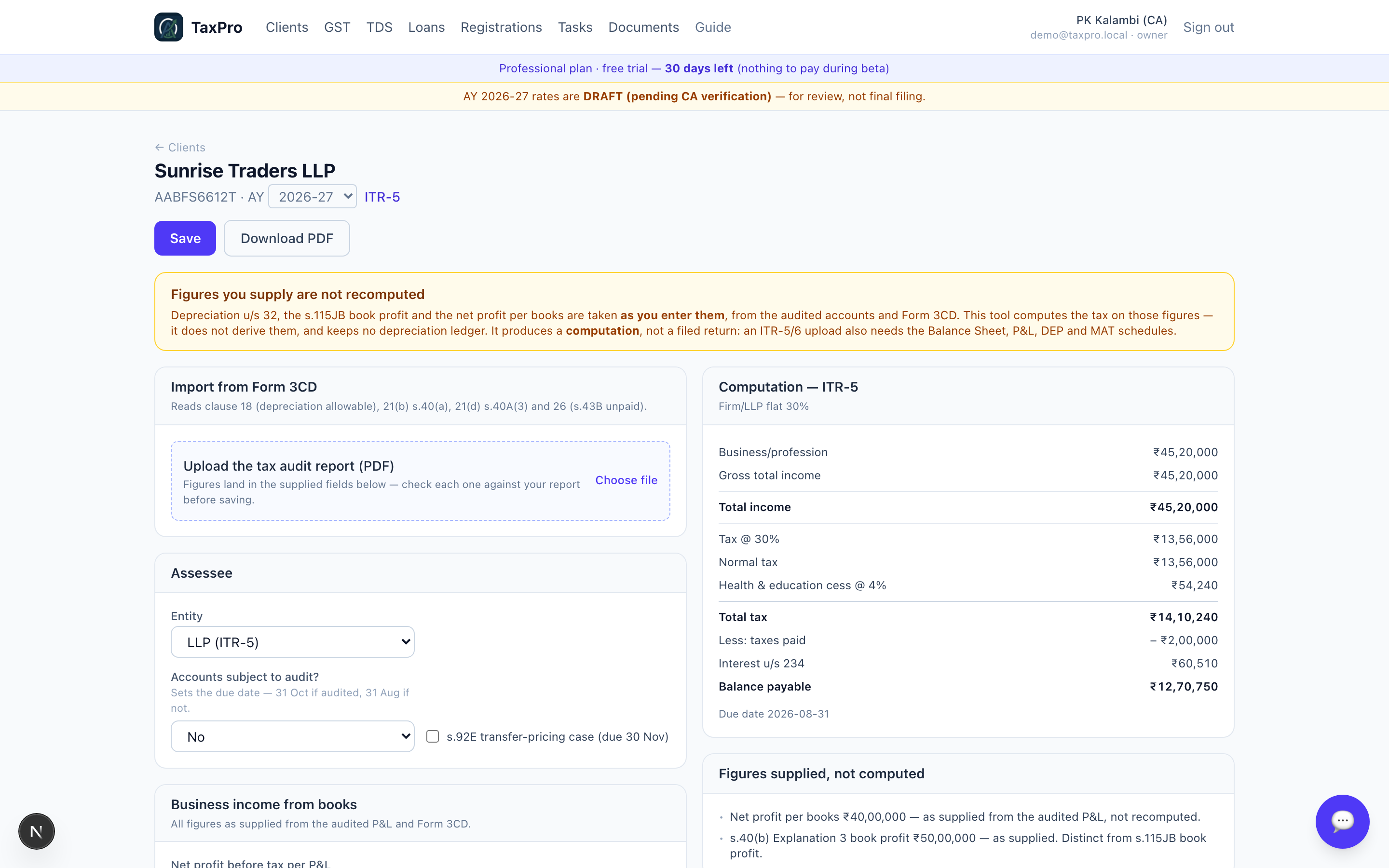
For a firm or LLP, partner remuneration is capped by s.40(b)(v) as a slab on book profit, and partner interest is capped at 12% simple. In the demo the LLP claims ₹35,00,000 of remuneration and 18% interest — both exceed the ceiling, both are disallowed, and the working shows the ceiling it used and how it got there.
5 · GST
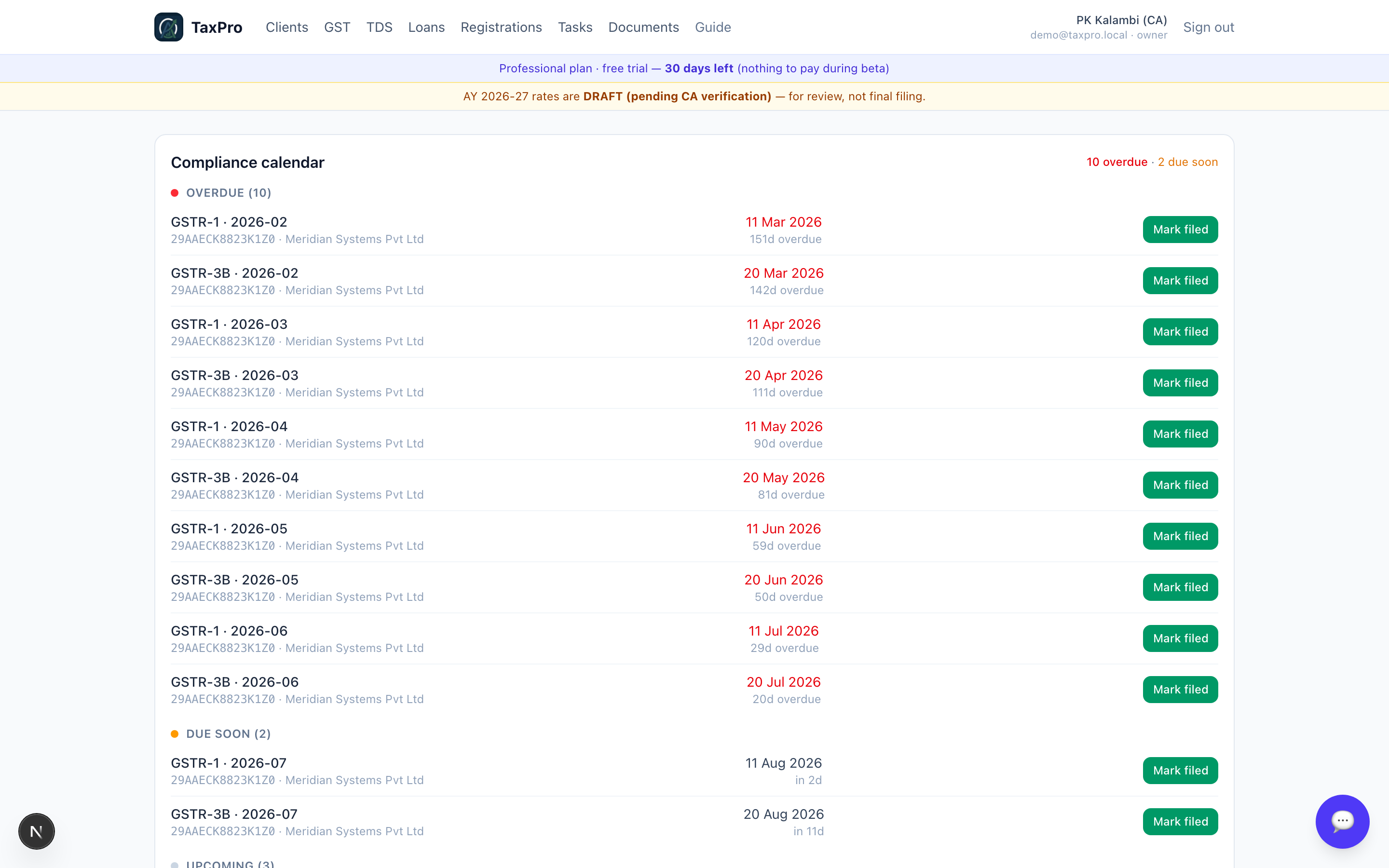
Each GSTIN belongs to a client. Open one and everything below is driven off two registers — sales and purchases — so the returns cannot disagree with each other.
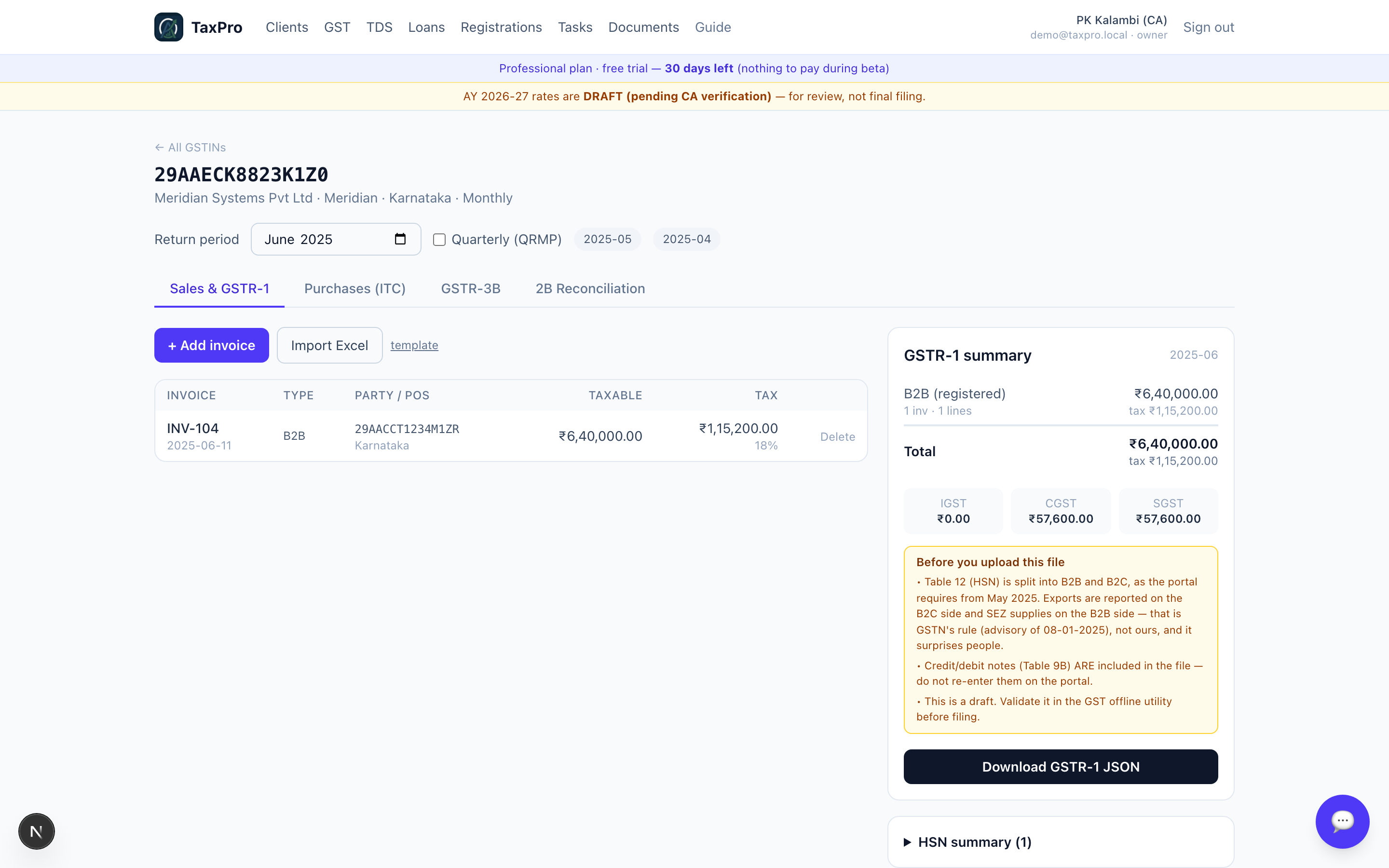
Sales and GSTR-1
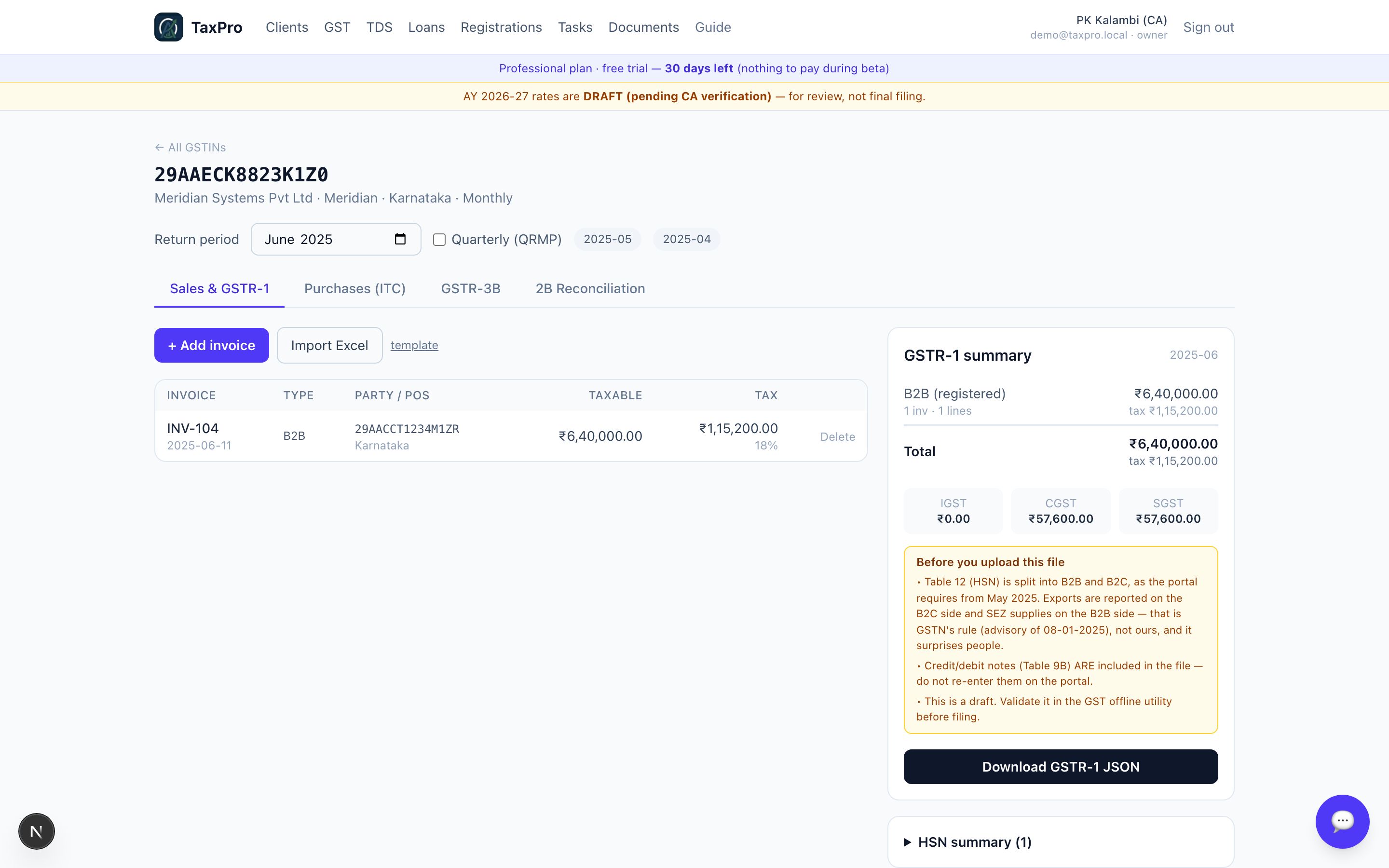
Enter the taxable value, the rate and the place of supply. The tax split is then derived:
- place of supply = the registration's state → CGST + SGST
- place of supply ≠ the registration's state → IGST
TaxPro never accepts the split from the form. A mis-keyed CGST/SGST on an inter-state supply is invisible until the portal rejects the return or a notice arrives, so the app removes the opportunity to make the mistake.
The demo register shows all of it side by side: an intra-state Karnataka supply, an inter-state supply to Maharashtra, a B2C consolidated line, and a zero-rated export under LUT.
Purchases and input tax credit
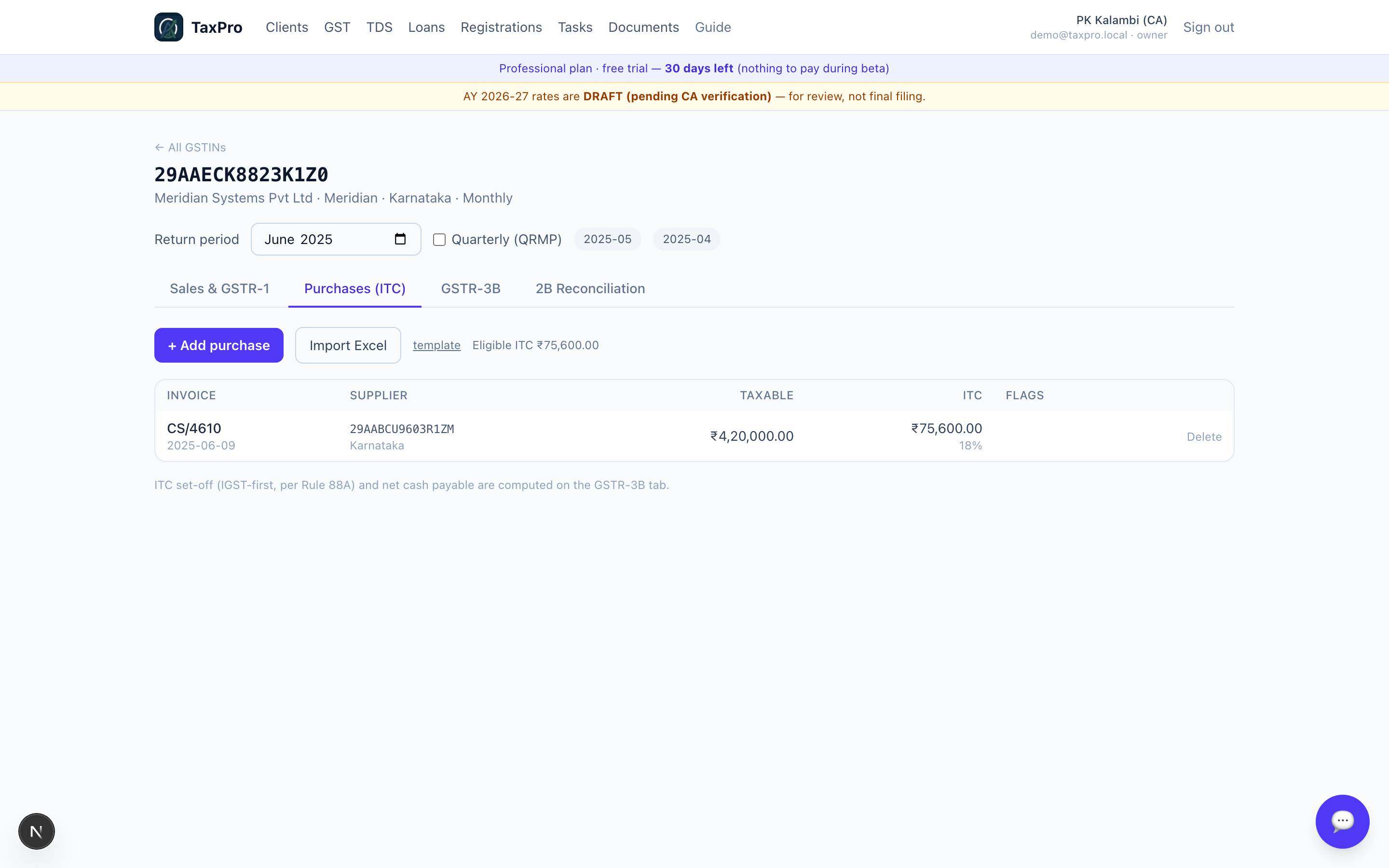
Purchases carry an ITC eligible flag. The motor car in the demo is marked ineligible u/s 17(5)(a), so its tax never reaches the 3B claim — but the invoice still sits in the register, because it is a real purchase and it belongs in the books.
Table 12 — the HSN summary, split B2B and B2C
From the May 2025 return period the portal splits Table 12 into two tabs, B2B and B2C, and TaxPro emits them that way. Earlier periods keep the older single list, so an amended return for an old month still validates.
One part of this catches people out, so it is worth stating plainly:
Exports are reported on the B2C side.
That reads backwards — an export is a business sale — but GSTN's advisory on Table 12 validations settles it: the B2C figure is validated against tables 5A, 6A, 7A, 7B, 9A (export) and others, and 6A is exports. By the same list, SEZ supplies (6B) and deemed exports (6C) sit on the B2B side, and credit or debit notes follow their recipient — 9B registered is B2B, 9B unregistered is B2C.
TaxPro applies that mapping for you, and the note above the download button repeats the export rule, because it is the one people query.
GSTR-3B
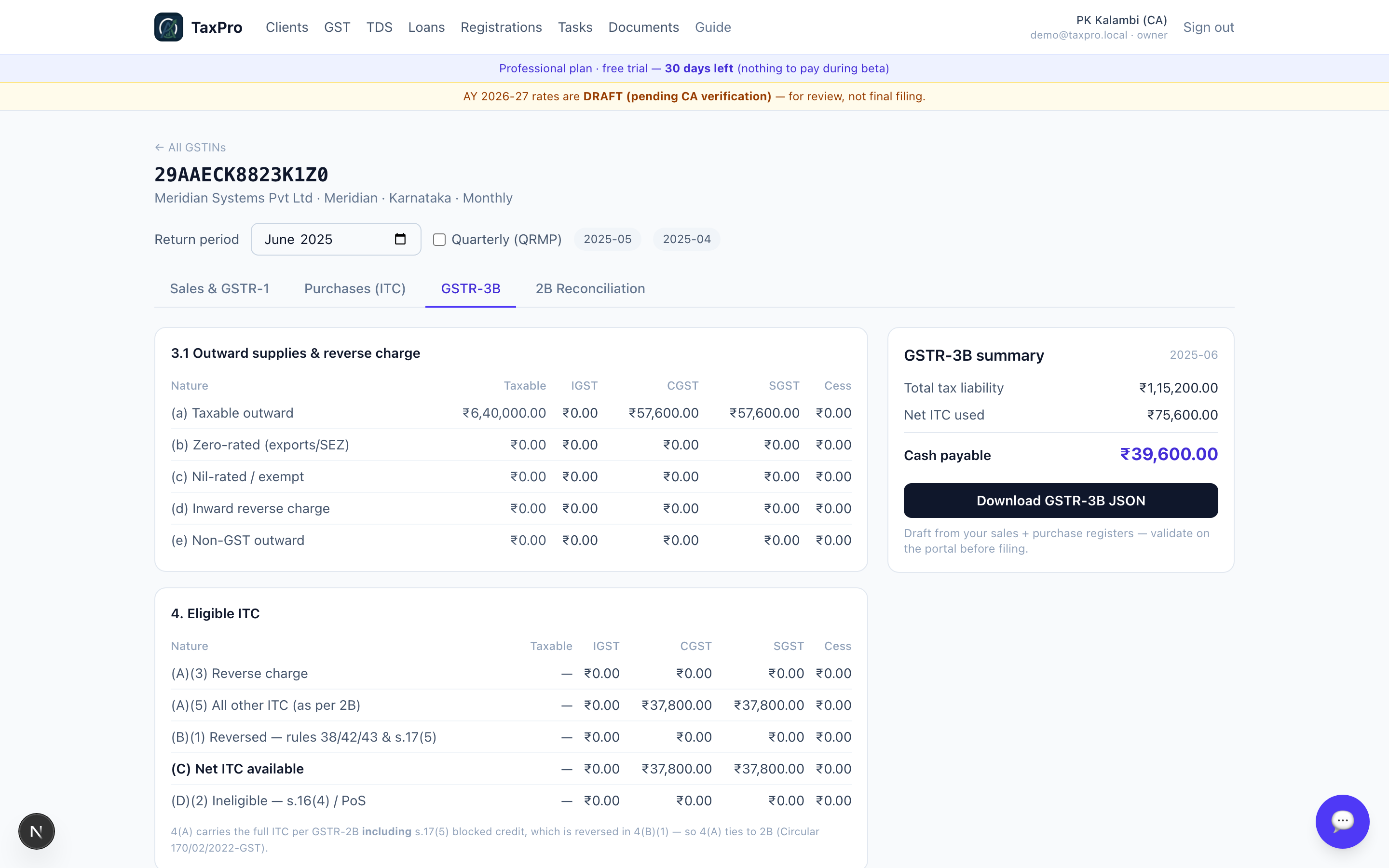
Computed from the same two registers, so it cannot contradict the GSTR-1.
2B reconciliation
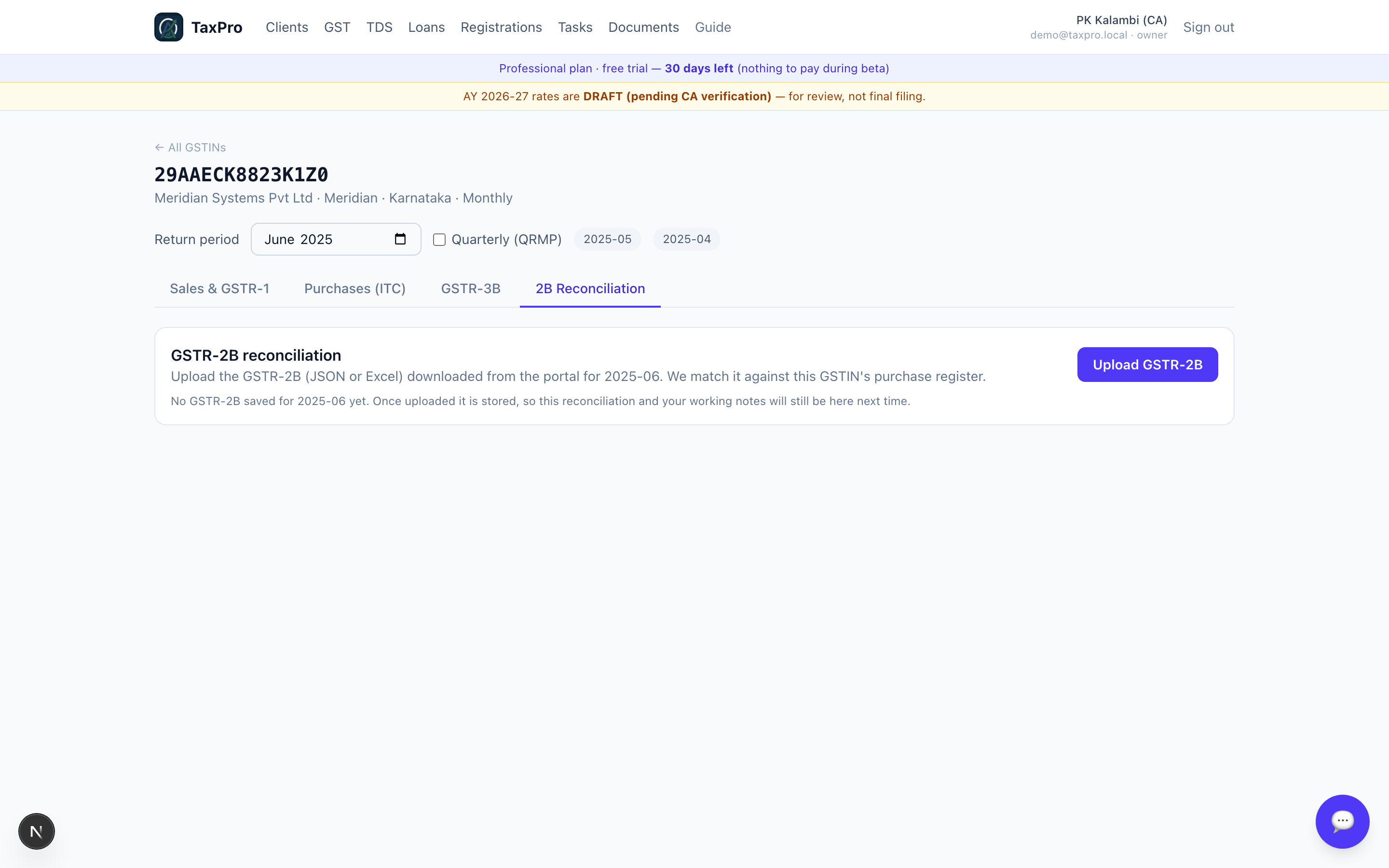
What the supplier actually filed, against what your books claim. Matching runs per month, because that is how ITC is claimed.
That detail matters more than it looks. An early test reconciled a whole quarter at once and passed happily while the app was correctly doing it monthly — a test that doesn't slice the data the way the product slices it is not testing the product.
6 · TDS
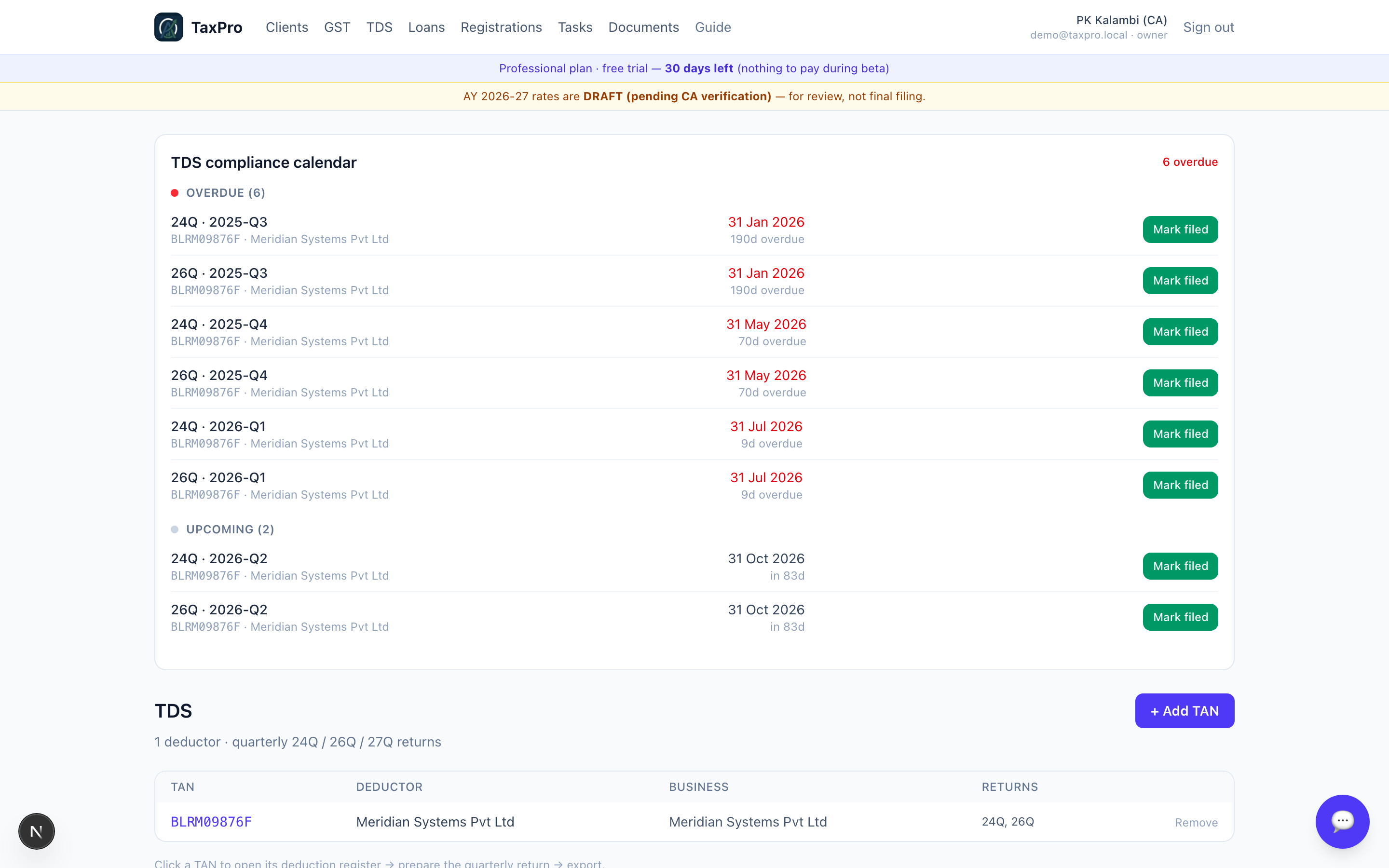
A TAN is not a PAN, and a quarterly return needs both — plus an address and a person responsible for deduction. TaxPro asks for them once per TAN.
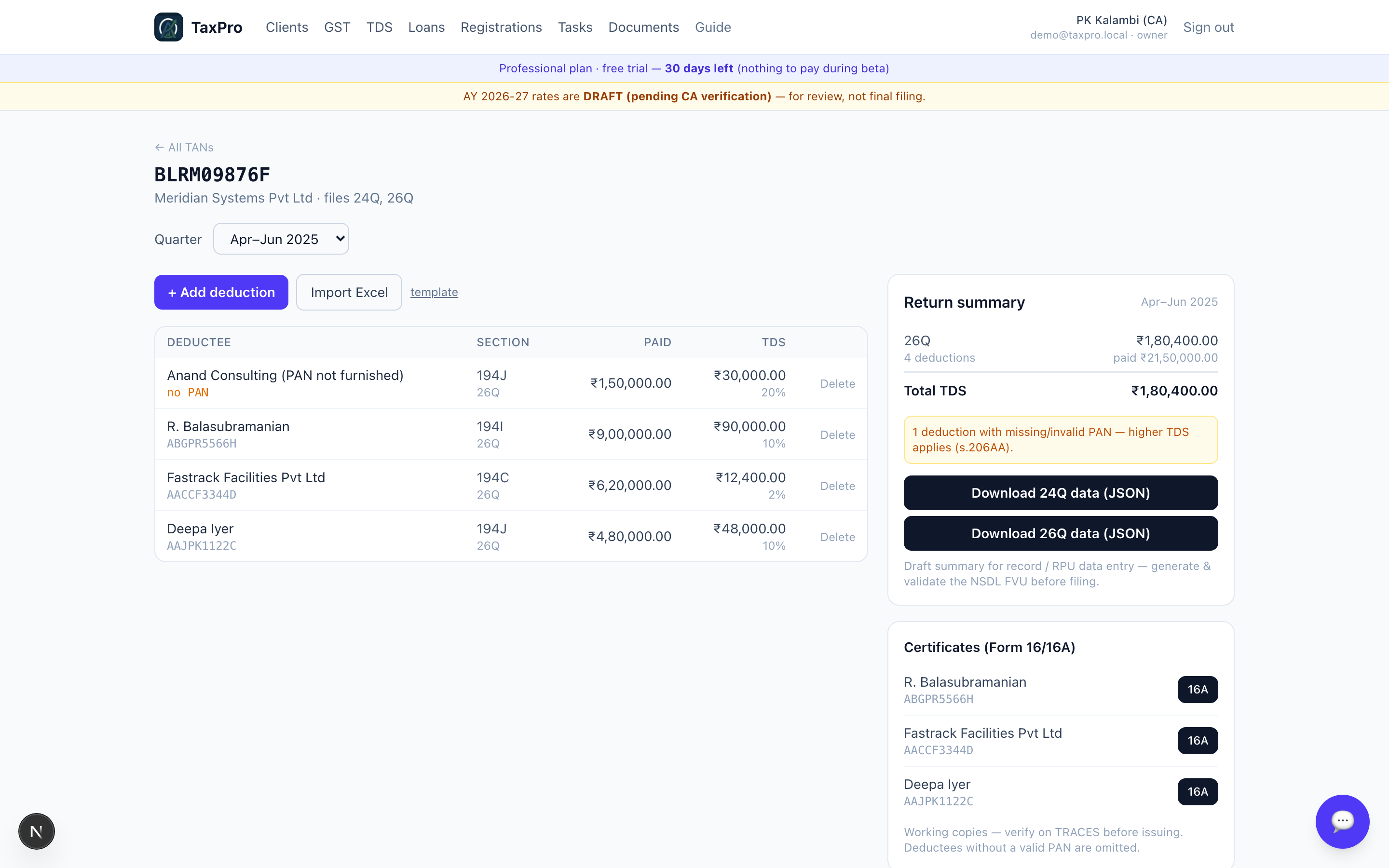
The deduction register
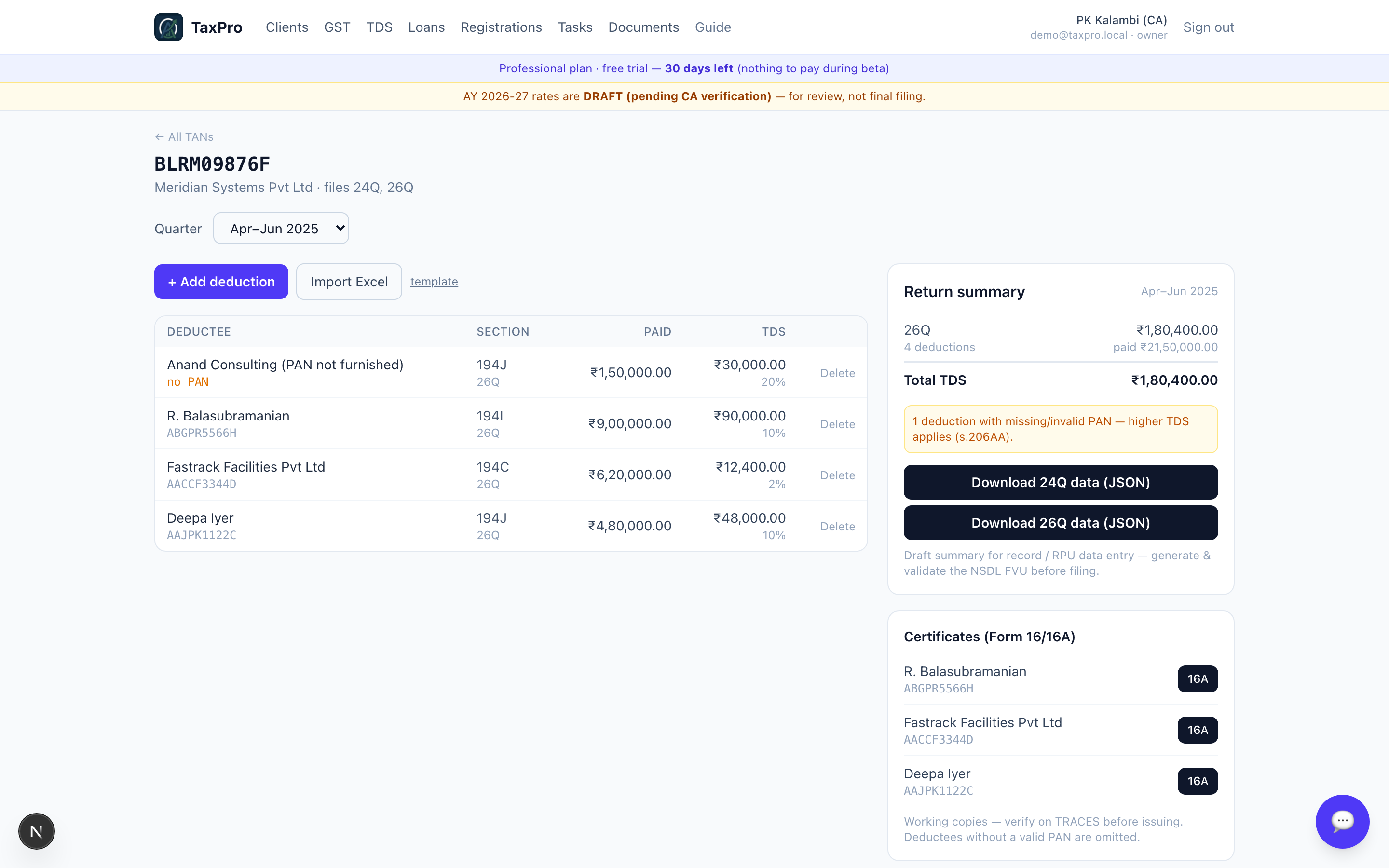
Four deductions across Apr–Jun 2025. Look at the first line: no PAN, so s.206AA forces the rate to 20% rather than the 10% that s.194J would otherwise give. The engine applies it and flags it in the summary.
That same deductee is then left out of the Form 16A list — a certificate cannot be issued without a valid PAN, so offering one would be wrong.
The quarter's summary
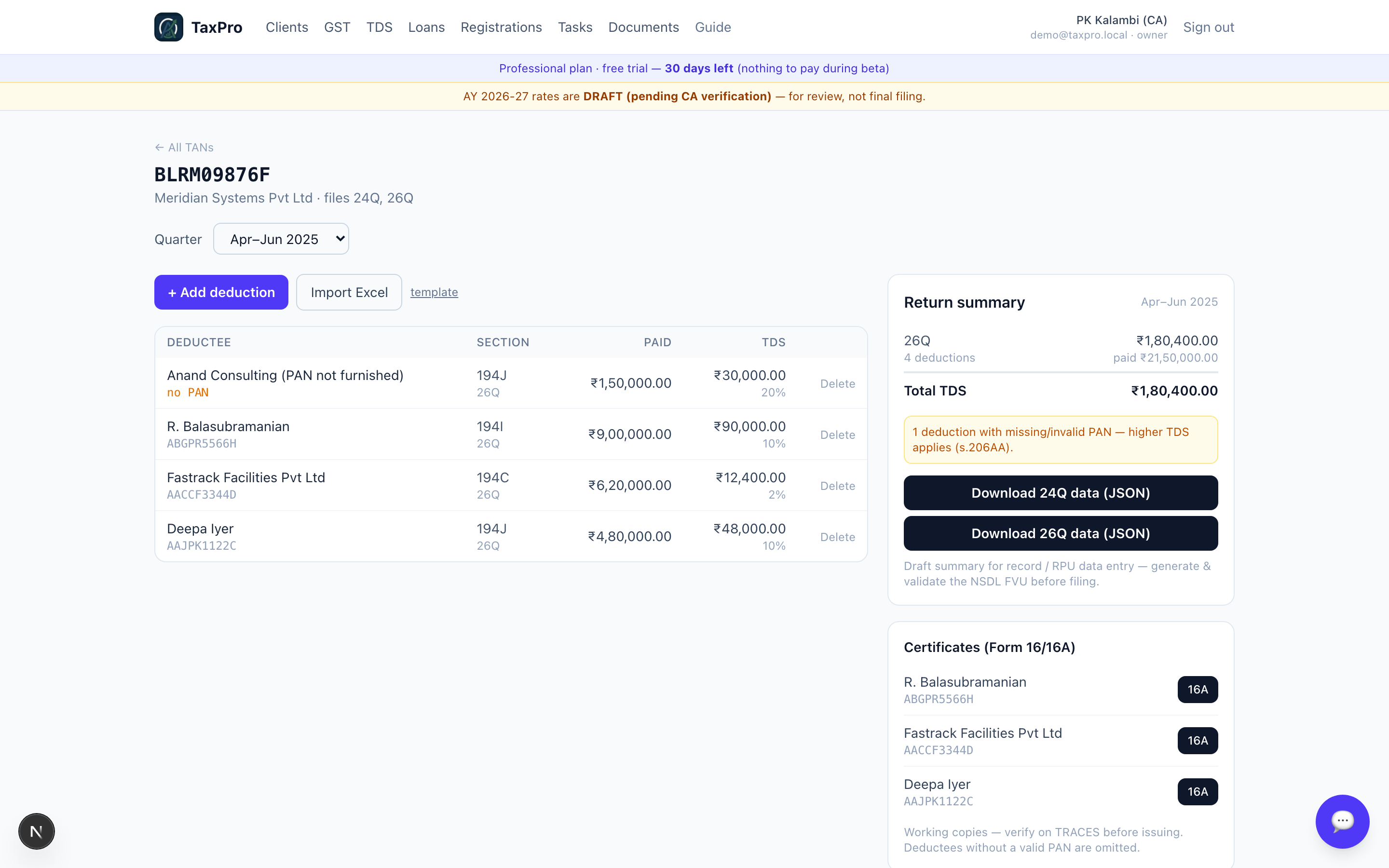
₹1,80,400 deducted against a single challan of ₹90,400, so the app shows a ₹90,000 shortfall in red. Better to see it here than in a portal rejection.
Certificates
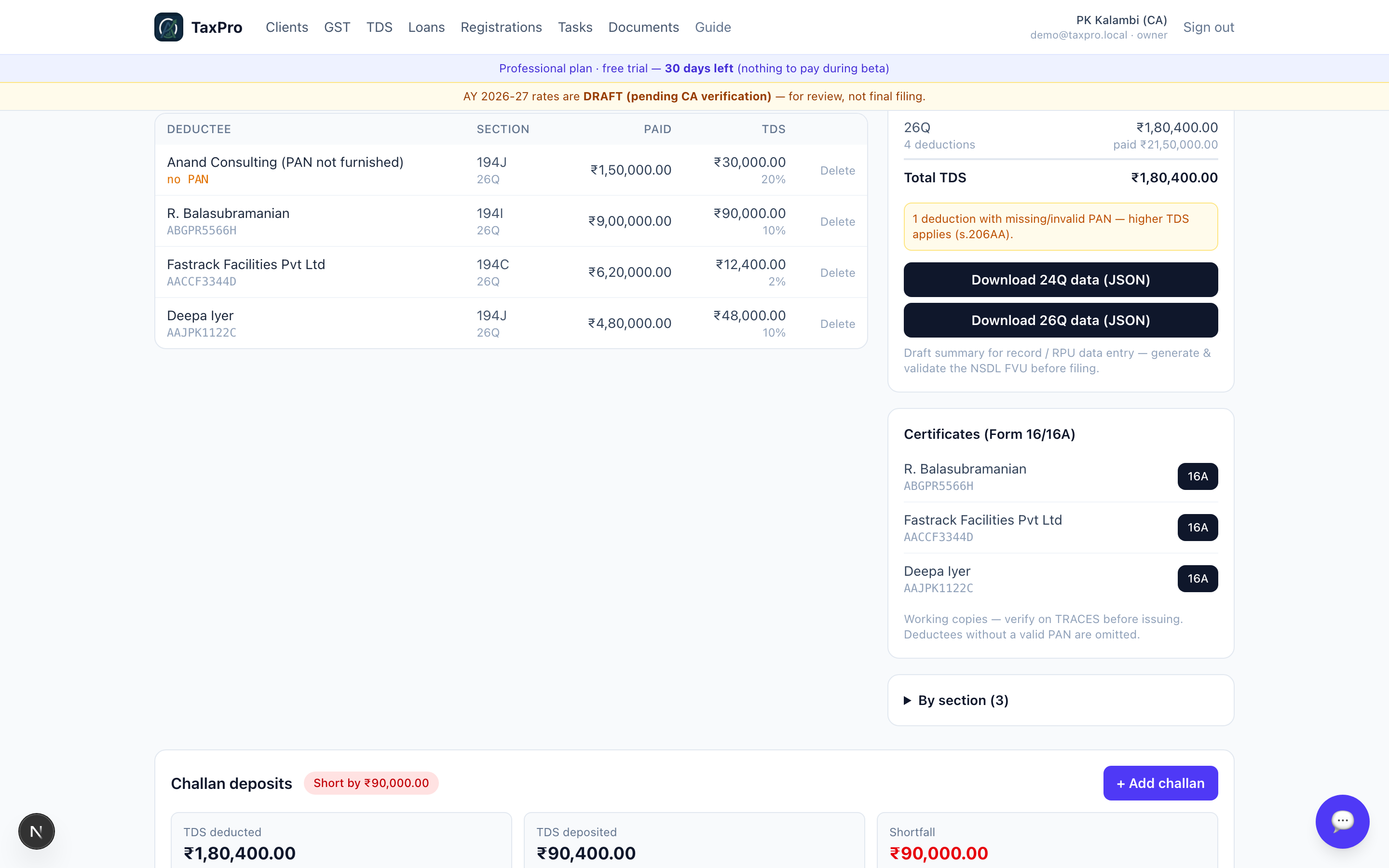
Form 16A per deductee, generated from the same entries. They are marked as working copies — the certificate that goes to the deductee must come from TRACES, and the app says so rather than letting you hand out a lookalike.
Challans
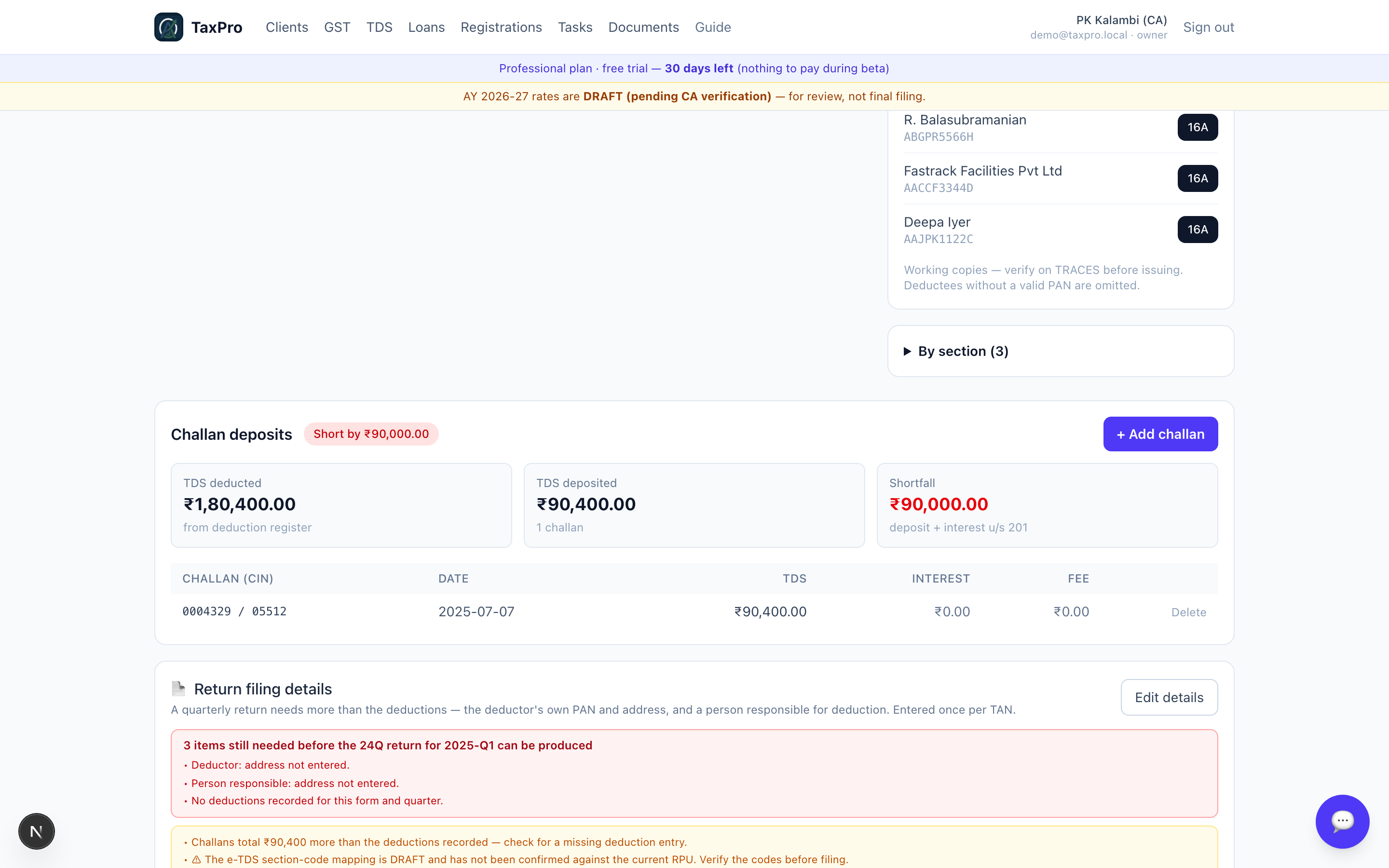
The BSR code and serial number are what tie each deduction to a deposit in the return, so they are captured properly rather than as a single "amount paid".
7 · The Loan desk
A separate product inside TaxPro, for a CA firm that lends its own funds. It has three parts: the loan book, an origination workflow, and a portal the borrower can see.
It is built to the Tamil Nadu Money-Lenders Act 1957, and the statute shapes the schema rather than decorating it.
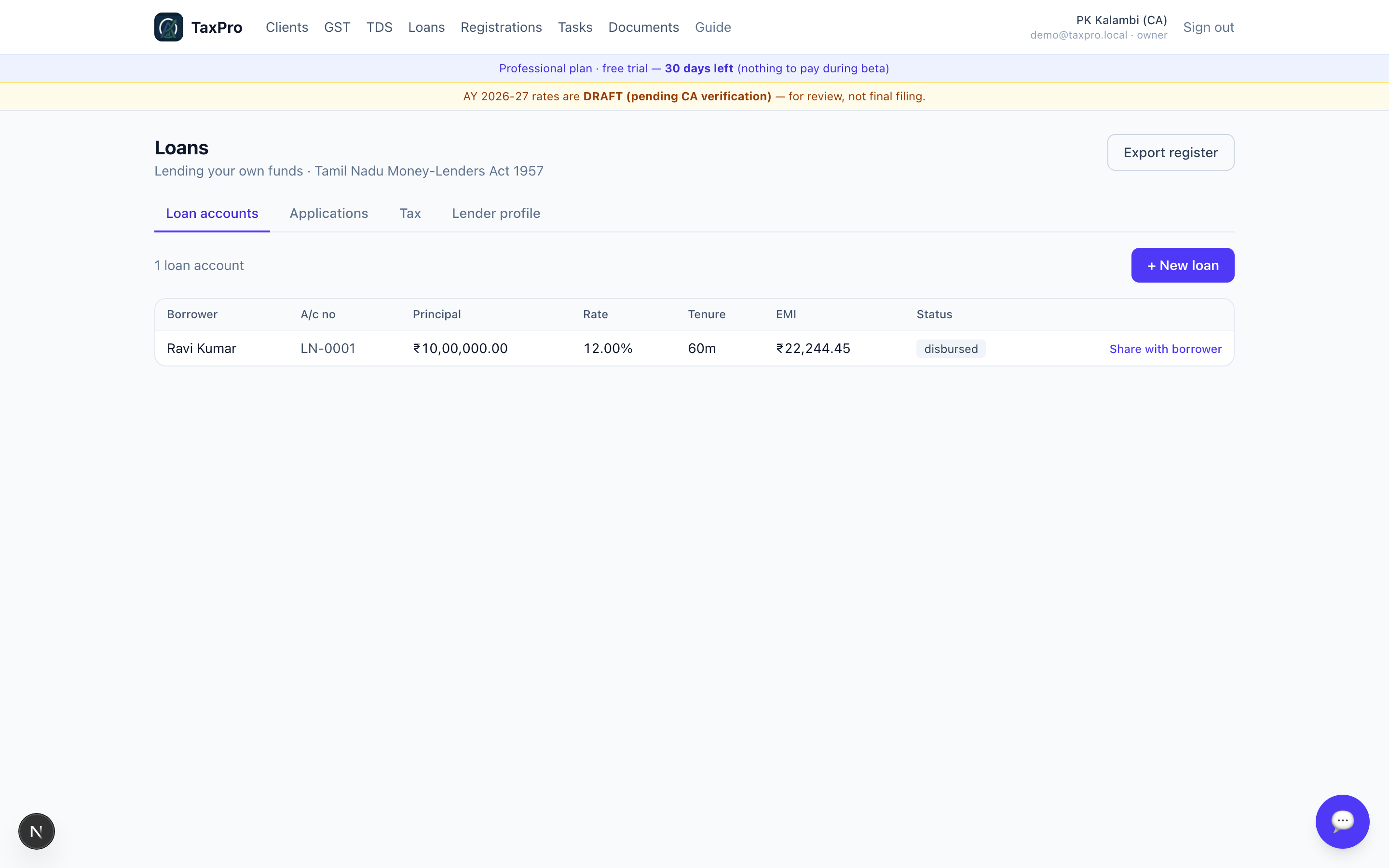
Two rules hold everywhere in this module:
- Money is held in integer paise. No floating-point rupees, ever.
- The ledger is append-only. A correction is a reversal entry, never an edit. s.11 of the Act requires the account to be maintained, and an overwritable ledger is not a maintained account.
The lender profile — and why it can block you
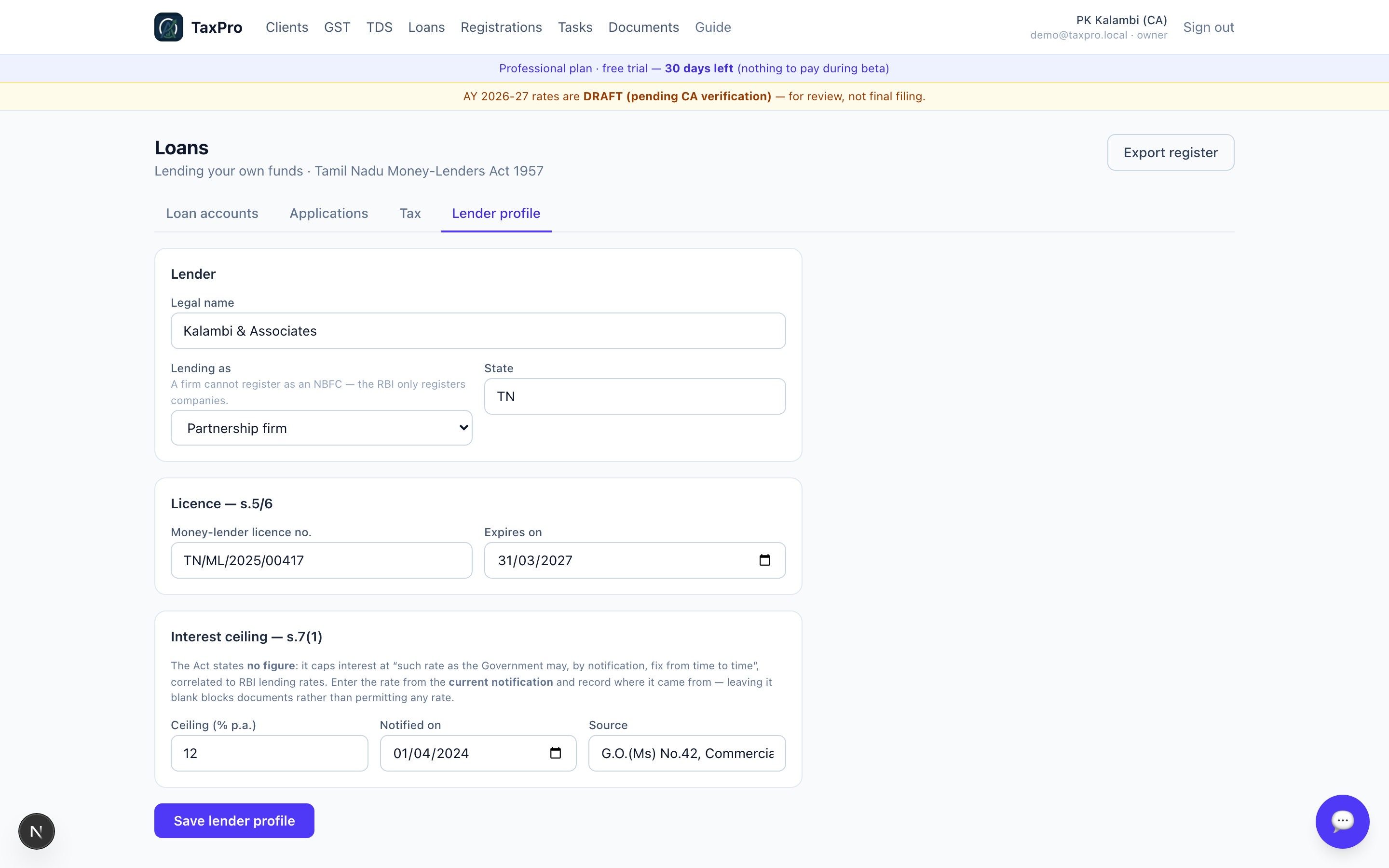
s.7(1) of the Act does not state an interest rate. It is whatever the State Government notifies, and published sources disagree about the current figure. So the ceiling is configuration, unset by default — and until you record it:
- an unrecorded cap reports as UNKNOWN, never as a pass;
- documents stay blocked;
- repayments are refused, because s.9(1)(b) requires a receipt the module could not lawfully issue.
This is the refusal principle at its most literal. The app would rather stop than issue a receipt it has no business issuing.
Origination
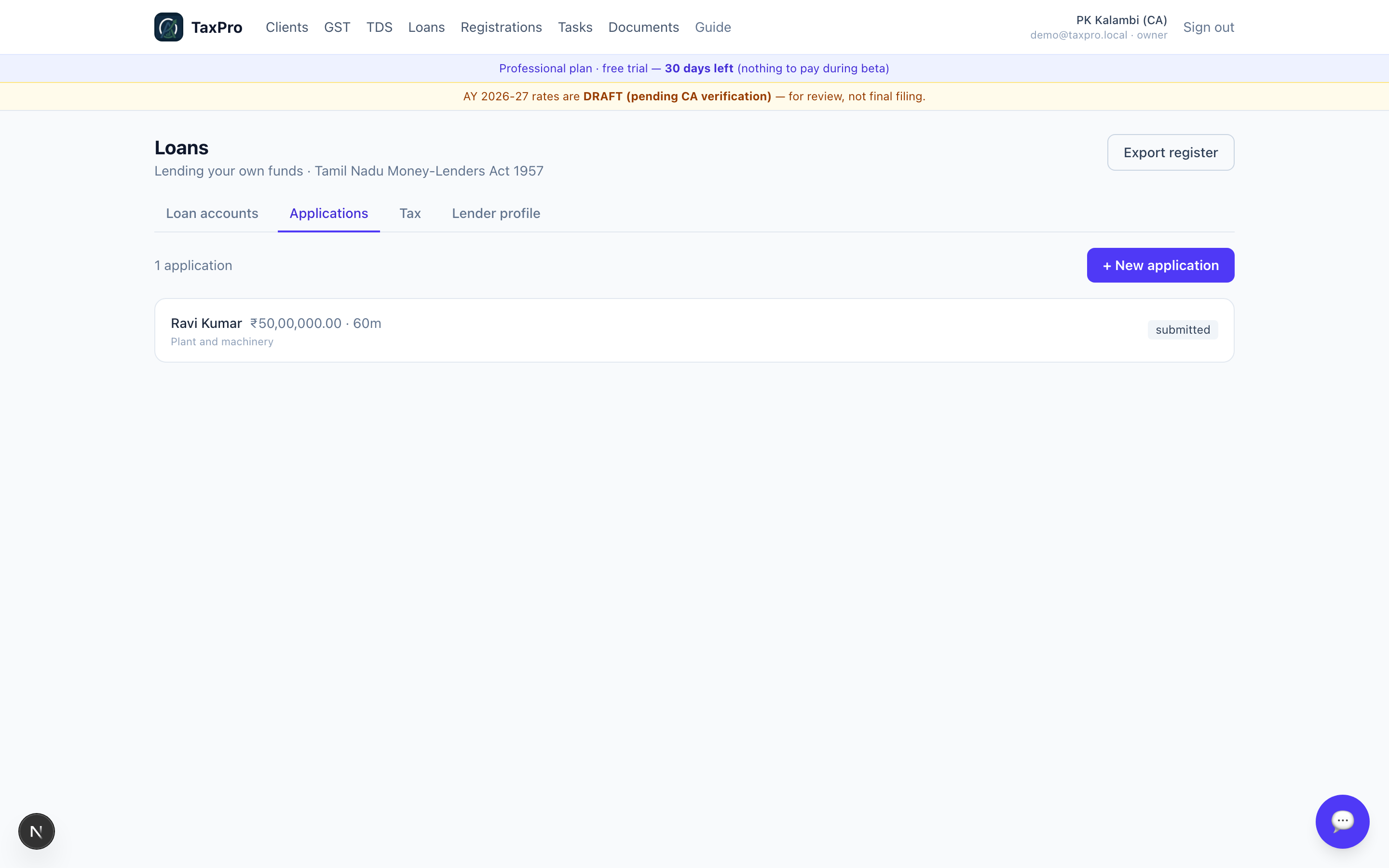
An application, before any money moves. Open it and you get the underwriting.
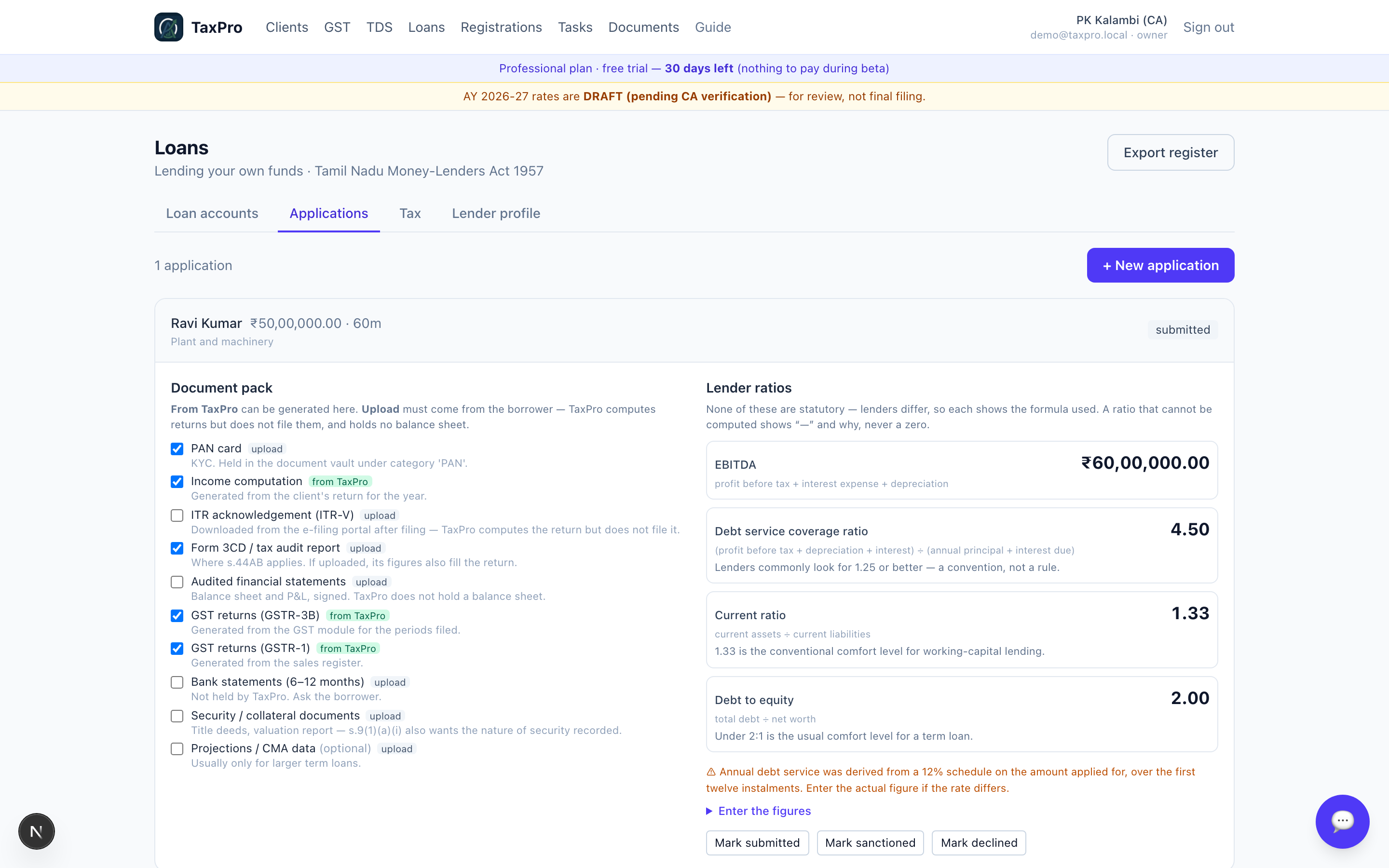
The document pack marks honestly what TaxPro can produce (the computation, GSTR-1, GSTR-3B) versus what the borrower must supply. TaxPro computes returns but does not file them, so there is no ITR-V to hold; it holds no balance sheet, so the audited financials must be uploaded.
The ratios are the one place in the app where nothing is statutory. No Act defines DSCR, and two banks will disagree about the same borrower. So every ratio carries the formula it used, on screen, and:
- a ratio that cannot be computed shows an em dash and the reason — never a zero, which would read as "no current assets" and sink a healthy borrower on missing data rather than on facts;
- debt/equity on nil or negative net worth is refused outright, because the number it would produce reads as healthy;
- EBITDA is an amount and renders as money; the other three are dimensionless and render as ratios.
Annual debt service is taken from the real amortisation schedule — the next twelve instalments, not a twelfth of the total. On reducing balance the early years carry more interest, and averaging flatters exactly the year being underwritten.
A loan account
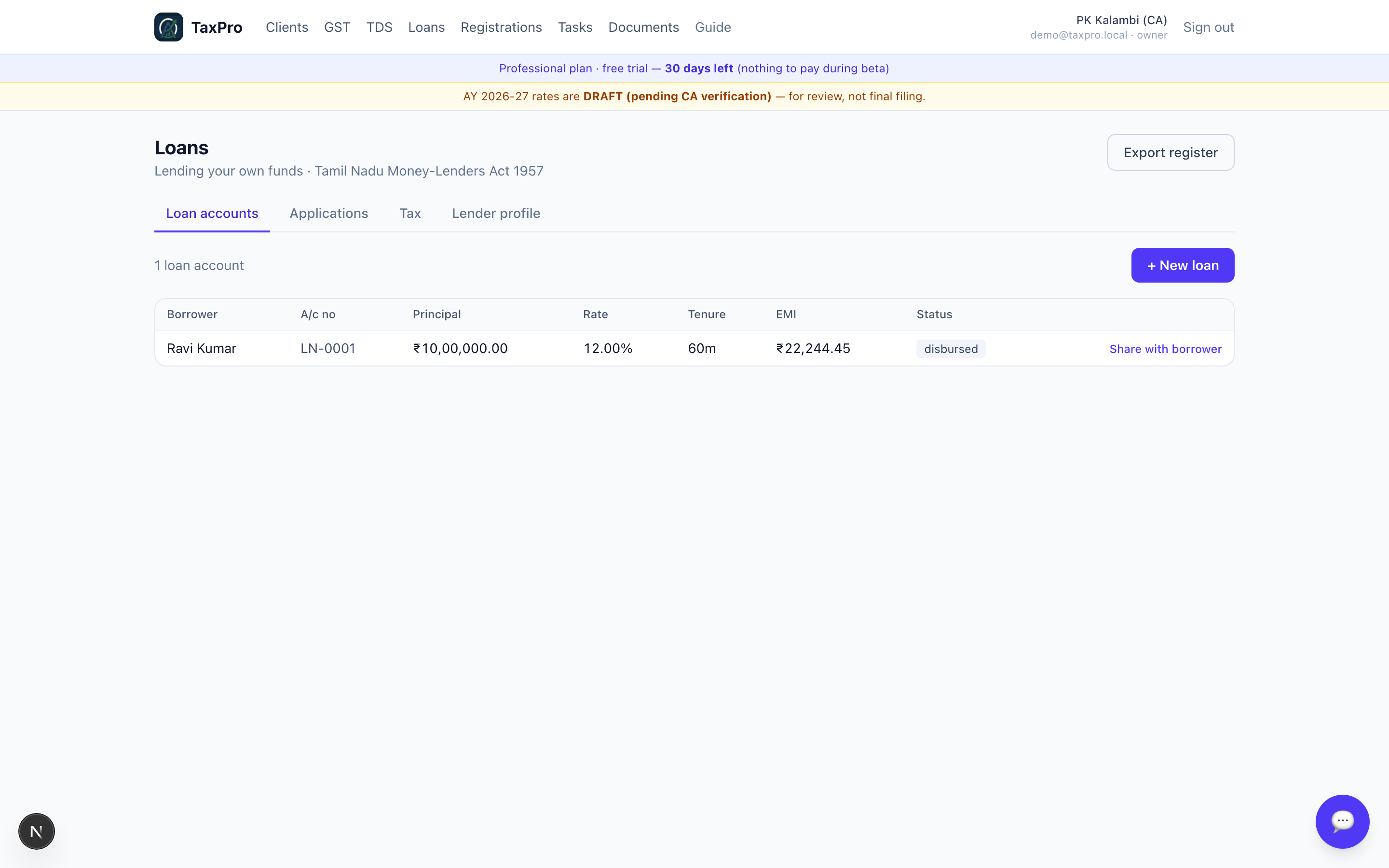
The schedule, the ledger and the receipts. The final instalment absorbs the rounding, so the schedule closes at exactly zero by construction rather than by luck.
The borrower's view
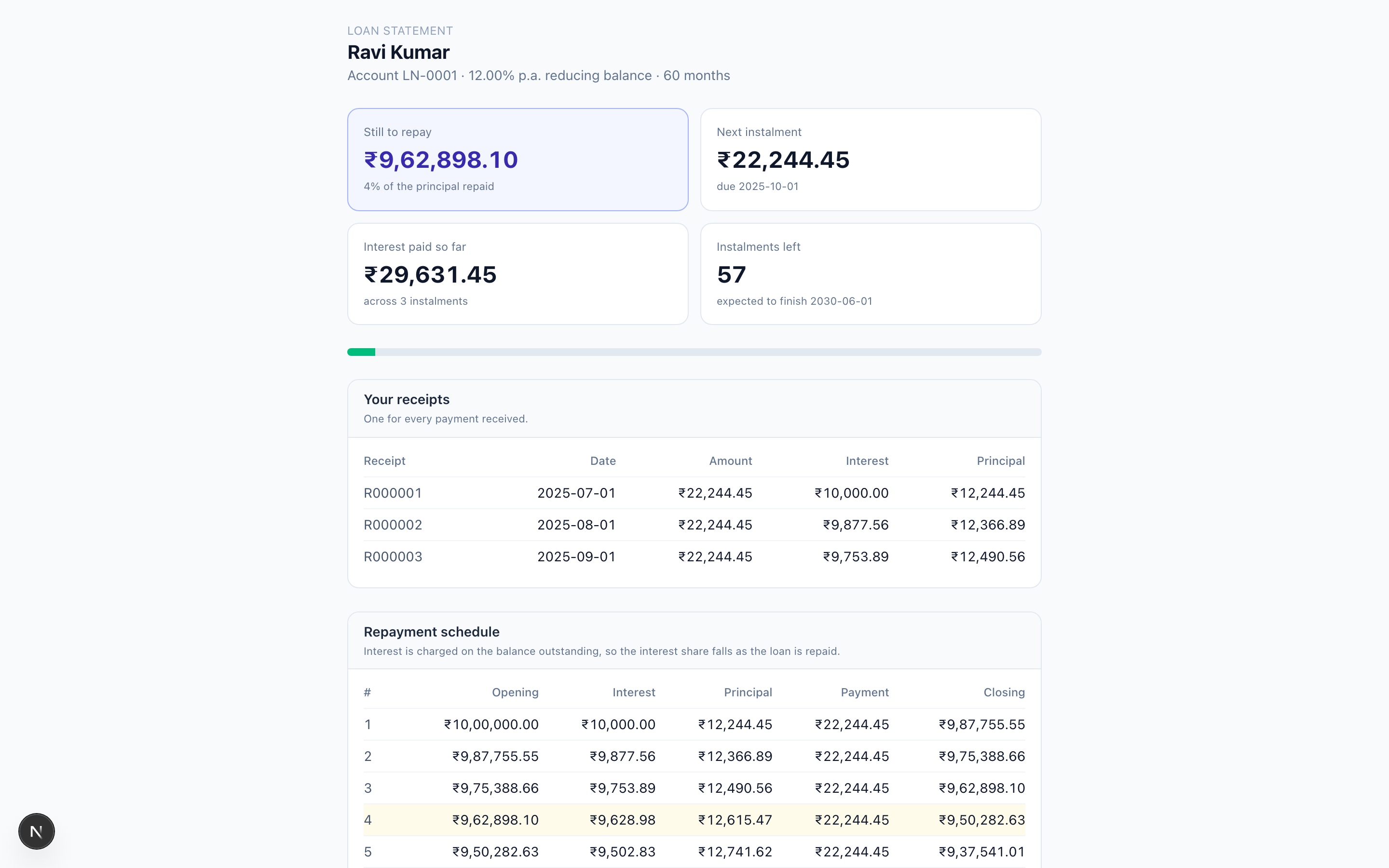
The borrower gets a scoped link, not an account. No password, nothing to forget, and the firm can revoke it. It shows one loan and nothing else: what is outstanding, what is due next, how long is left, and every receipt issued.

A withdrawn or expired link fails exactly the same way as a wrong one. The page never reveals whether the loan exists — otherwise the error message itself would leak whether a given person is a borrower.
Tax, both sides
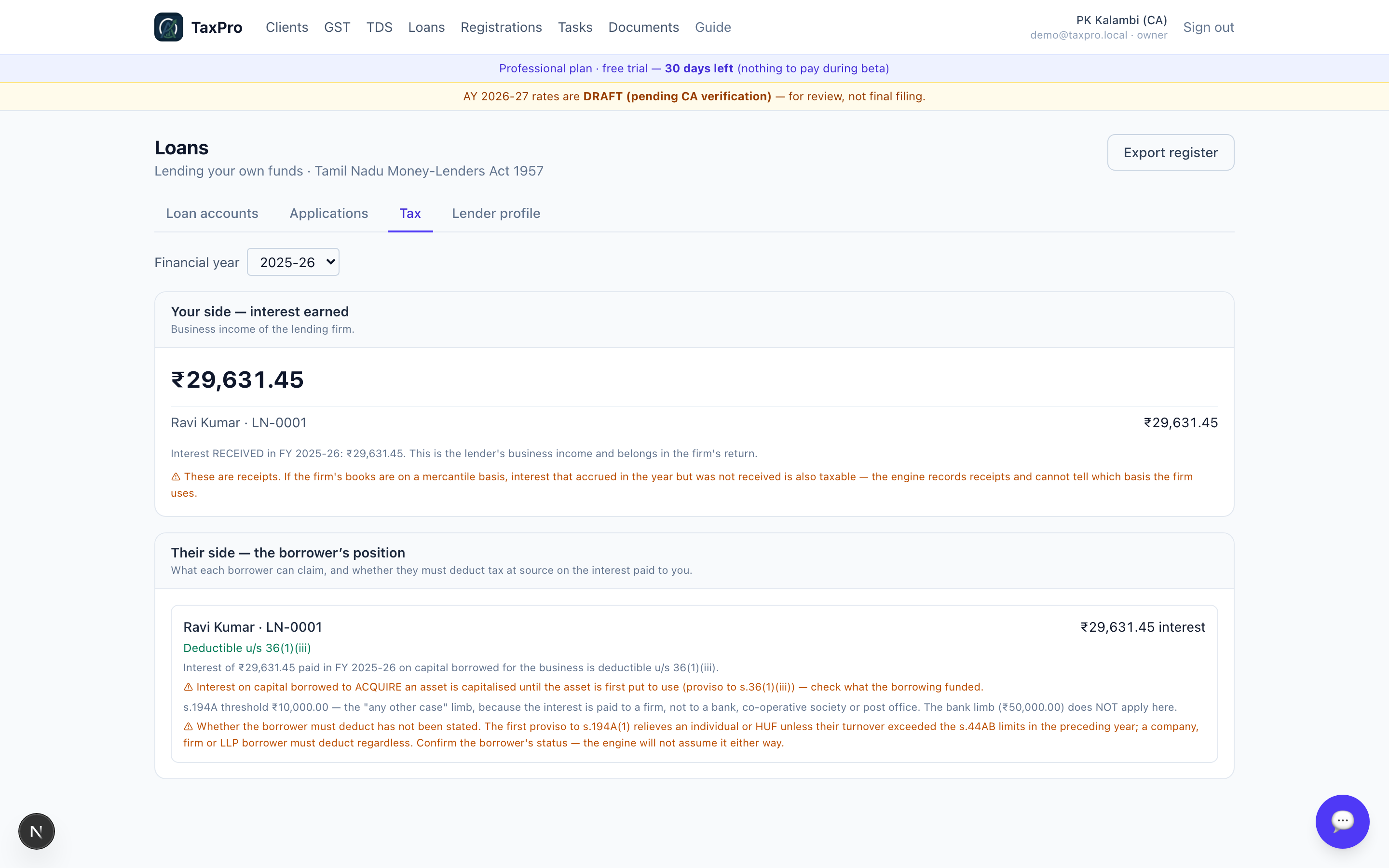
This is why lending belongs inside TaxPro rather than beside it. The same loan is three things at once:
- the lender's interest income, taxable as business income;
- the borrower's interest expense, deductible u/s 36(1)(iii) or s.24(b) — or, for a personal loan, not deductible at all, which the app says plainly rather than reporting as zero;
- a s.194A event between them.
Two points the module refuses to assume:
The s.194A threshold turns on who pays. Because the lender here is a firm and not a bank, borrowers sit in the "any other case" limb at ₹10,000 — not the ₹50,000 bank limb. Reading across from the bank figure would under-deduct by a factor of five.
Whether the borrower must deduct at all is an input, not an assumption. The first proviso to s.194A(1) relieves an individual or HUF unless their turnover crossed the s.44AB limits — which TaxPro cannot know. So it asks, and until you answer it will not assume either way.
Interest is also reported as received, not accrued. If the firm's books are on a mercantile basis then interest accrued but not received is taxable too — that depends on the firm's method of accounting, so the app labels what it has rather than pretending to know.
8 · Registrations, Documents and Tasks
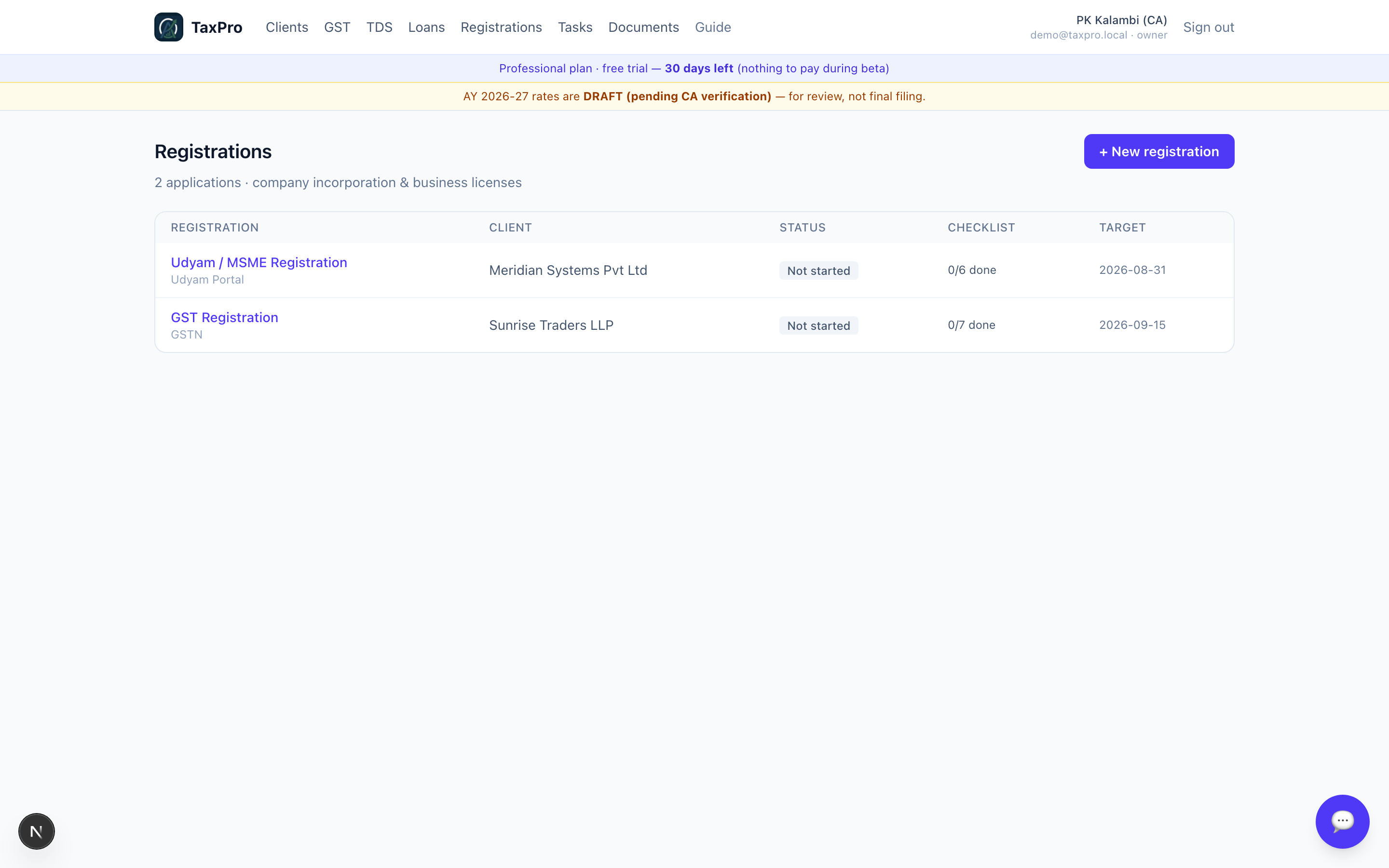
Statutory registrations and their renewal dates, per client.
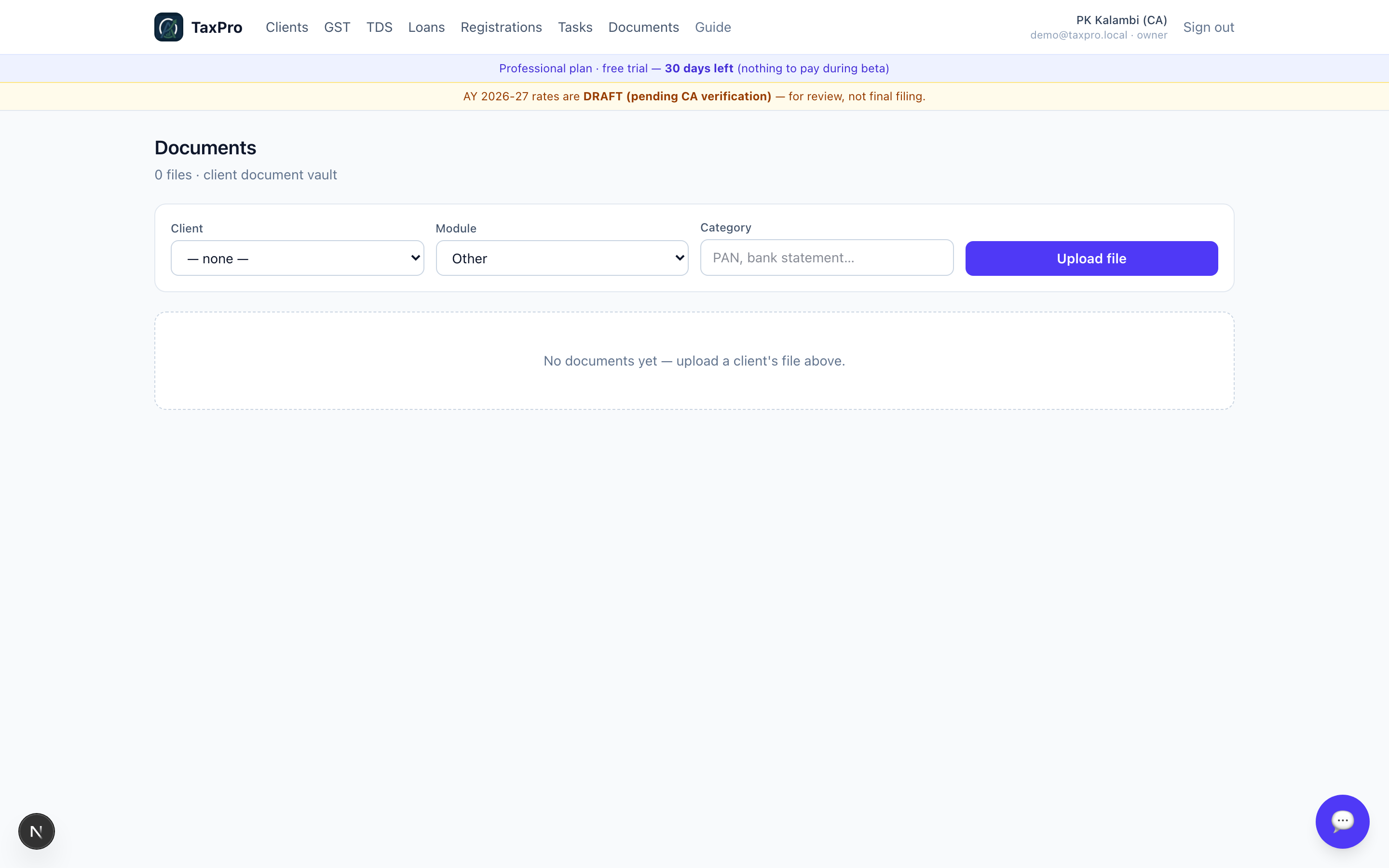
The vault holds what you upload, categorised. It is also what the extractors read — a Form 16 here fills a return; a Form 3CD here fills an ITR-6.
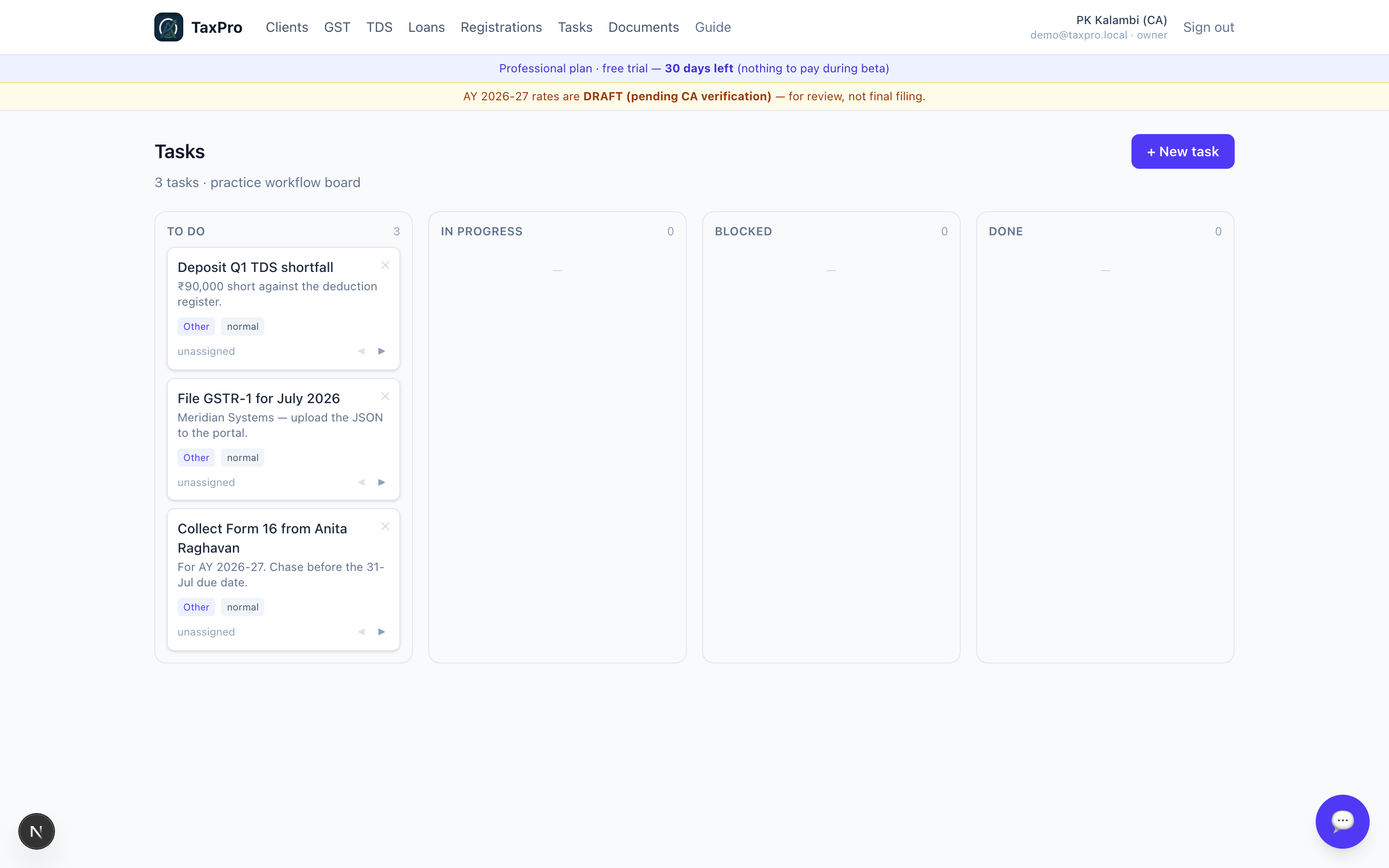
Tasks, and the statutory due dates that generate them.
9 · Settings and staff
Firm details, staff and their roles. Invited staff join the same tenant and see the same clients; the tenant boundary is enforced on every read, not just hidden in the interface.
Appendix A — regenerating this guide
Both scripts run against a scratch database, never production.
node scripts/seed-demo.mjs
Creates a fresh CA account and builds the demo firm through the real APIs — so the seed cannot contain anything the app would itself reject. It prints an email, a password and the borrower link.
BORROWER_LINK="<link from the seed>" node scripts/shoot-guide.mjs "<email from the seed>"
Re-shoots all 45 images into docs/guide/img/ and writes a manifest.
Two things the shoot script does on purpose:
- Viewport screenshots, never
fullPage. A full-page capture re-renders sticky headers at every scroll offset, so a perfectly fine layout photographs as a nav bar sitting on top of the content. - A hard gate after sign-in. A failed sign-in would otherwise screenshot quite happily — 45 pictures of a login form — and report success. It now throws instead.
Appendix B — what TaxPro deliberately does not do
Being clear about the edges is part of the product.
| It does not | Why |
|---|---|
| File anything | It computes returns and produces portal-shaped JSON. Filing happens on the portal, and the acknowledgement comes back from there. |
| Hold a balance sheet | It has a P&L-shaped picture from the return and Form 3CD. Balance-sheet ratios are therefore taken as supplied, and labelled. |
| Keep a depreciation ledger | Depreciation u/s 32 comes from the audit, as supplied. |
| Issue a TRACES certificate | Form 16/16A here are working copies. The real certificate must come from TRACES. |
| Import from Tally | Not built. The Tally XML request is documented but the response element names vary by version, and building against a guessed schema is how you ship something that silently mis-parses. It needs one real export first. |
| Assume a rate or threshold it cannot verify | Every rate is researched against the enacted statute and cited in the code. Where it cannot be verified it is flagged, not guessed. |
Guide generated from a live demo tenant. 45 screenshots, all real.